
Ashampoo PDF Pro 3.0.2 Portable
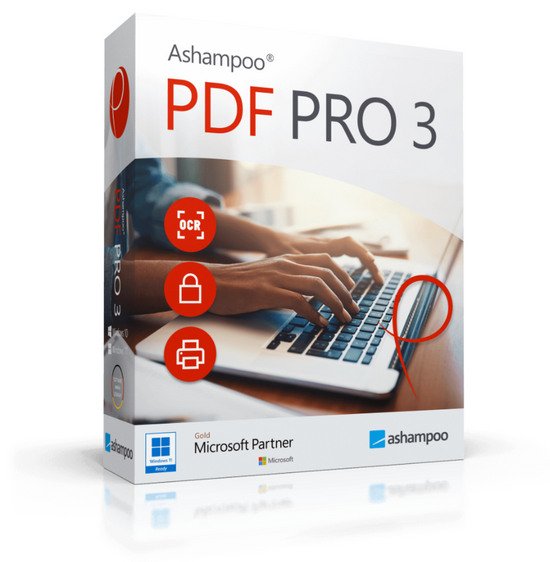 Ashampoo PDF Pro is a turnkey solution for managing and editing your PDF documents. The program has everything you need to create, convert, edit, merge and protect your PDFs. Create perfect-sized documents that can be read on any device and add encryption to protect your sensitive data. Your PDFs are now as easy to edit as Word documents!
Features of Ashampoo PDF Pro 3 :
• Convenient elegant ribbon interface
• Dark mode for maximum productivity with eye care
• Fast switching between operating modes with one click
• Customizable panel with all important functions
• Smooth document scaling
ВЂ New drop-down elements to access the main functions
• Digital signatures for more reliable PDFs
• Fast and accurate file comparison
• PDF / A for long-term storage of digital documents
Edit PDFs as quickly and easily as Word documents
Convenient and elegant: the new ribbon interface in Ashampoo® PDF Pro 3
With Ashampoo® PDF Pro 3, editing PDF documents is as easy as editing text in a great word processor. Version 3 has a new ribbon interface that you can find in many modern applications. This means you will not need to get used to it! All major functions are located exactly where you expect them to be, just like in Microsoft Word, Ashampoo® Write or other office applications. PDF editing has never been easier!
Easy PDF creation
Built-in PDF printer driver for maximum flexibility
Ashampoo PDF can create high quality PDFs from any Windows application. Just select "Print" and choose the Ashampoo PDF virtual printer. If size matters, Ashampoo PDF can automatically reduce the quality of images, for example, for publishing on the web.
Thoughtful custom design
Customize the Quick Access Toolbar to suit your needs
If you have used Ashampoo® Office, you will be familiar with the Quick Access Toolbar under the ribbon. Ashampoo® PDF Pro 3 now offers instant access to essential functions in one customizable panel. Now you can decide for yourself which features are best suited to your workflow for maximum efficiency. After all, a good program should adapt to its users, not the other way around!
Don't copy - convert!
Perform further editing of your documents in MS Word or other formats
Ashampoo PDF converts your PDFs to text documents for editing in MS Office or Ashampoo Office. HTML, EPUB, JPG or RTF are supported as export formats. Ashampoo PDF Pro also supports text recognition (OCR), which allows you to convert your scanned files into an editable document.
Fast switching between operating modes
Switch between operating modes with one click for instant access to functions
The quick access panel contains not only functions that are especially important for you, but also switches for various operating modes. Switch from editing mode to moving and working with objects, and back in seconds. Full control by clicking on the button.
Enlarge the document in any mode
Use the slider for smooth scaling
You asked and we did it: Ashampoo® PDF Pro 3 introduces a document enlargement slider in the status bar for smooth enlargement. Selecting and focusing on content has never been easier!
Compact and versatile: several new drop-down elements
Uncover them and get instant access to the main features!
Like the Swiss Army Knife, Ashampoo® PDF Pro 3 Tape Panel is divided into sections. They always contain the most important functions according to the current activity.
PDF / A: secure standard
Use the standardized PDF / A format for long-term storage of documents
Ashampoo® PDF Pro 3 supports the PDF / A format described in one of the ISO standards, designed to create documents that can be accessed and read even after many years. It is the perfect format for archiving your most important documents and saving them for posterity.
Fast and accurate file comparison
Analyze and find differences between documents with built-in compare mode
Ashampoo® PDF Pro 3 not only displays and scrolls two documents side by side, but it goes one step further by highlighting the difference in different colors. The program saves you time and effort when comparing PDFs. And for even more convenience, differences can be displayed as links in the navigation bar. Analyze documents and spot differences in no time with Ashampoo® PDF Pro 3!
Create trusted PDFs with digital signatures
Sign your documents for authenticity and added credibility!
Digital signatures are now the equivalent of ink signatures on paper, but more reliable. They talk about authenticity and prevent secret counterfeiting. Ashampoo® PDF Pro 3 makes signing documents incredibly easy and helps you build trusted relationships with your recipients.

Features of Ashampoo PDF Pro 3 :
• Convenient elegant ribbon interface
• Dark mode for maximum productivity with eye care
• Fast switching between operating modes with one click
• Customizable panel with all important functions
• Smooth document scaling
ВЂ New drop-down elements to access the main functions
• Digital signatures for more reliable PDFs
• Fast and accurate file comparison
• PDF / A for long-term storage of digital documents
Edit PDFs as quickly and easily as Word documents
Convenient and elegant: the new ribbon interface in Ashampoo® PDF Pro 3
With Ashampoo® PDF Pro 3, editing PDF documents is as easy as editing text in a great word processor. Version 3 has a new ribbon interface that you can find in many modern applications. This means you will not need to get used to it! All major functions are located exactly where you expect them to be, just like in Microsoft Word, Ashampoo® Write or other office applications. PDF editing has never been easier!
Easy PDF creation
Built-in PDF printer driver for maximum flexibility
Ashampoo PDF can create high quality PDFs from any Windows application. Just select "Print" and choose the Ashampoo PDF virtual printer. If size matters, Ashampoo PDF can automatically reduce the quality of images, for example, for publishing on the web.
Thoughtful custom design
Customize the Quick Access Toolbar to suit your needs
If you have used Ashampoo® Office, you will be familiar with the Quick Access Toolbar under the ribbon. Ashampoo® PDF Pro 3 now offers instant access to essential functions in one customizable panel. Now you can decide for yourself which features are best suited to your workflow for maximum efficiency. After all, a good program should adapt to its users, not the other way around!
Don't copy - convert!
Perform further editing of your documents in MS Word or other formats
Ashampoo PDF converts your PDFs to text documents for editing in MS Office or Ashampoo Office. HTML, EPUB, JPG or RTF are supported as export formats. Ashampoo PDF Pro also supports text recognition (OCR), which allows you to convert your scanned files into an editable document.
Fast switching between operating modes
Switch between operating modes with one click for instant access to functions
The quick access panel contains not only functions that are especially important for you, but also switches for various operating modes. Switch from editing mode to moving and working with objects, and back in seconds. Full control by clicking on the button.
Enlarge the document in any mode
Use the slider for smooth scaling
You asked and we did it: Ashampoo® PDF Pro 3 introduces a document enlargement slider in the status bar for smooth enlargement. Selecting and focusing on content has never been easier!
Compact and versatile: several new drop-down elements
Uncover them and get instant access to the main features!
Like the Swiss Army Knife, Ashampoo® PDF Pro 3 Tape Panel is divided into sections. They always contain the most important functions according to the current activity.
PDF / A: secure standard
Use the standardized PDF / A format for long-term storage of documents
Ashampoo® PDF Pro 3 supports the PDF / A format described in one of the ISO standards, designed to create documents that can be accessed and read even after many years. It is the perfect format for archiving your most important documents and saving them for posterity.
Fast and accurate file comparison
Analyze and find differences between documents with built-in compare mode
Ashampoo® PDF Pro 3 not only displays and scrolls two documents side by side, but it goes one step further by highlighting the difference in different colors. The program saves you time and effort when comparing PDFs. And for even more convenience, differences can be displayed as links in the navigation bar. Analyze documents and spot differences in no time with Ashampoo® PDF Pro 3!
Create trusted PDFs with digital signatures
Sign your documents for authenticity and added credibility!
Digital signatures are now the equivalent of ink signatures on paper, but more reliable. They talk about authenticity and prevent secret counterfeiting. Ashampoo® PDF Pro 3 makes signing documents incredibly easy and helps you build trusted relationships with your recipients.