

Windows
Windows
Hello Windows Insiders, today we are releasing Windows 11 Insider Preview Build 25357 to the Canary Channel. REMINDER: As builds released to the Canary Channel are “hot off the presses,” we will offer limited documentation for builds flighted to the Canary Channel (no known issues for example), but we will not publish a blog post for every flight – only when new features are available in a build. And like the , this build has a few new features and changes to document.
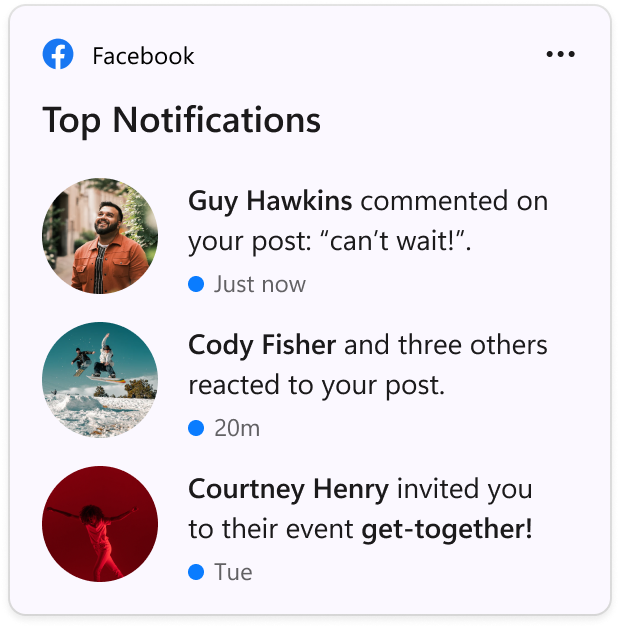 The Facebook widget.[/caption] As you give this and , please let us know what you think through the Widgets feedback link in the widgets picker. You should expect to see additional new widgets as more developers create and release widgets for their apps. If you’re a Windows developer and interested in creating a widget, . For an overview of the Windows widgets experience and design guidance for creating your own widgets, see . For more information on creating a Win32 widget provider, see . For information on PWA widget providers, see .
What’s new in Build 25357
New Widget: Facebook
Facebook is rolling out a preview version of their widget. To give it a try, from the Microsoft Store or update to the latest version of the app. Then open the widgets board and navigate to the widgets picker by clicking the “+” button at the top-right of the board to pin your widget. [caption id="attachment_176250" align="alignnone" width="303"]
Changes and Improvements
[General]
- The new volume mixer experience in Quick Settings mentioned is now available for all Insiders in the Canary Channel.
For developers
You can download the latest Windows Insider SDK at . SDK NuGet packages are now also flighting at which include:- for use in .NET apps as described at
- for Win32 headers and libs per architecture
- when you just need tools like MakeAppx.exe, MakePri.exe, and SignTool.exe
About the Canary Channel
The Canary Channel is the place to preview platform changes that require longer-lead time before getting released to customers. Some examples of this include major changes to the Windows kernel, new APIs, etc. Builds that we release to the Canary Channel should not be seen as matched to any specific release of Windows and some of the changes we try out in the Canary Channel will never ship, and others could show up in future Windows releases when they’re ready. The builds that will be flighted to the Canary Channel are “hot off the presses,” flighting very soon after they are built, which means very little validation and documentation will be done before they are offered to Insiders. These builds could include major issues that could result in not being able to use your PC correctly or even in some rare cases require you to reinstall Windows. We will offer limited documentation for the Canary Channel, but we will not publish a blog post for every flight – only when new features are available in a build. Our Canary Channel won’t receive daily builds; however, we may ramp up releasing builds more frequently in the future. The desktop watermark you see at the lower right corner of your desktop is normal for these pre-release builds.Important Insider Links
- You can .
- Check out for a complete look at what build is in which Insider channel.