

Samsung is when it comes to the Android 13 and update. After updating , some of its foldables, two , , and its with One UI 5.0, Samsung has now set eyes on the Galaxy M series.
and One UI 5.0 are now rolling out to the Galaxy M series, starting with the . The rollout has started for nearly a dozen European markets for devices with model number SM-M526BR and should expand to cover more countries in the continent and to other regions soon.
The firmware version attached to the major new update is M526BRXXU1CVJ7. It includes the November 2022 security patch, which has also been released for other Galaxy devices in the last week or so.
As usual, you can check if the update is available in your country by tapping the Download and install option in your phone’s Settings » Software update menu. Alternatively, you can head over to to confirm the same.
If you’re feeling adventurous, you can try upgrading your M52 5G using the firmware files from SamMobile using a Windows PC, although we only recommend this course of action for those who are familiar with the concept of manual firmware flashing.
And while your Galaxy M52 5G is updating (or isn’t, in case the update isn’t out in your country yet), you can check the videos below to see what’s new in Android 13 and One UI 5.0 for Samsung devices. A few features may be missing on the M series compared to Samsung’s more mainstream devices, but the big stuff, , should all be in there.
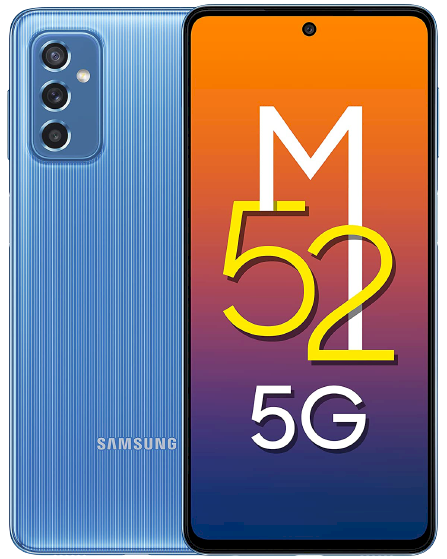
SamsungGalaxy M52 5G
The post appeared first on .
and One UI 5.0 are now rolling out to the Galaxy M series, starting with the . The rollout has started for nearly a dozen European markets for devices with model number SM-M526BR and should expand to cover more countries in the continent and to other regions soon.
The firmware version attached to the major new update is M526BRXXU1CVJ7. It includes the November 2022 security patch, which has also been released for other Galaxy devices in the last week or so.
Galaxy M52 5G is first Samsung M series device to get Android 13 update
As usual, you can check if the update is available in your country by tapping the Download and install option in your phone’s Settings » Software update menu. Alternatively, you can head over to to confirm the same.
If you’re feeling adventurous, you can try upgrading your M52 5G using the firmware files from SamMobile using a Windows PC, although we only recommend this course of action for those who are familiar with the concept of manual firmware flashing.
And while your Galaxy M52 5G is updating (or isn’t, in case the update isn’t out in your country yet), you can check the videos below to see what’s new in Android 13 and One UI 5.0 for Samsung devices. A few features may be missing on the M series compared to Samsung’s more mainstream devices, but the big stuff, , should all be in there.
SamsungGalaxy M52 5G
The post appeared first on .