

Nearly 20 percent of the U.S. population will have a disability during their lifetime, which can make it hard for them to access and interact with technology, and limits the opportunity that technology can bring. That’s why it’s so important to build tools to make technology accessible to everyone—from people with visual impairments who need screen readers or larger text, to people with motor restrictions that prevent them from interacting with a touch screen, to people with hearing impairments who cannot hear their device’s sounds. Here are some updates we’ve made recently to make our technology more accessible:
A tool to help develop accessible apps
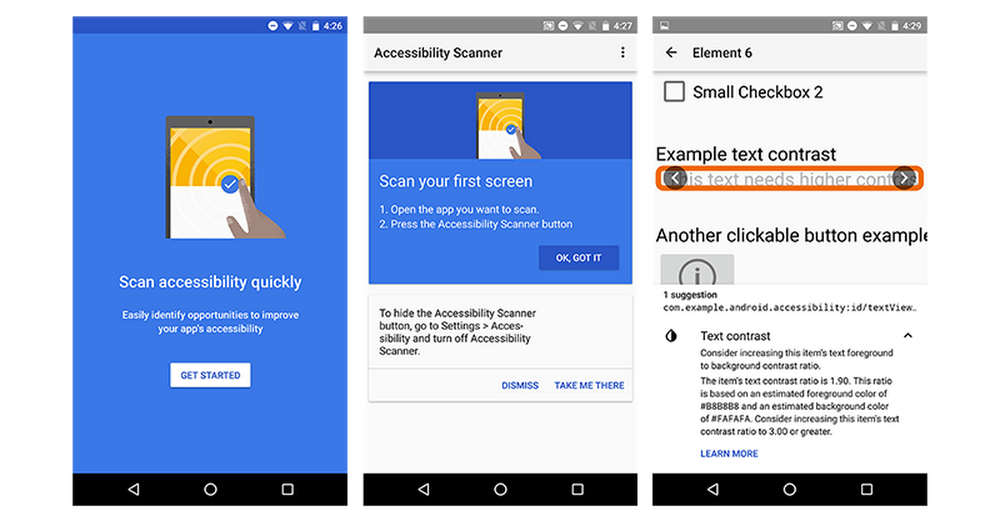
Accessibility Scanner is a that lets developers test their own apps and receive suggestions on ways to enhance accessibility. For example, the tool might recommend enlarging small buttons, increasing the contrast between text and its background and more.
Improvements for the visually impaired in Android N
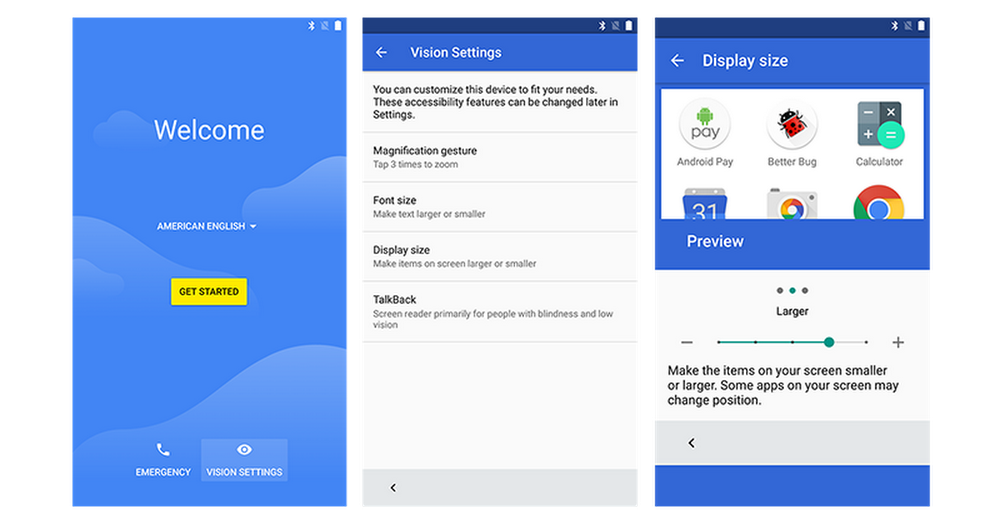
A few weeks ago we a preview of Android N for developers. As part of this update we’re bringing Vision Settings—which lets people control settings like magnification, font size, display size and —to the Welcome screen that appears when people activate new Android devices. Putting Vision Settings front and center means someone with a visual impairment can independently set up their own device and activate the features they need, right from the start.
An improved screen reader on Chromebooks
Every Chromebook comes with a built-in screen reader called ChromeVox, which enables people with visual impairments to navigate the screen using text to speech software. Our newest version, ChromeVox Next Beta, includes a simplified keyboard shortcut model, a new caption panel to display speech and Braille output, and a new set of navigation sounds. For more information, visit .
Edit documents with your voice
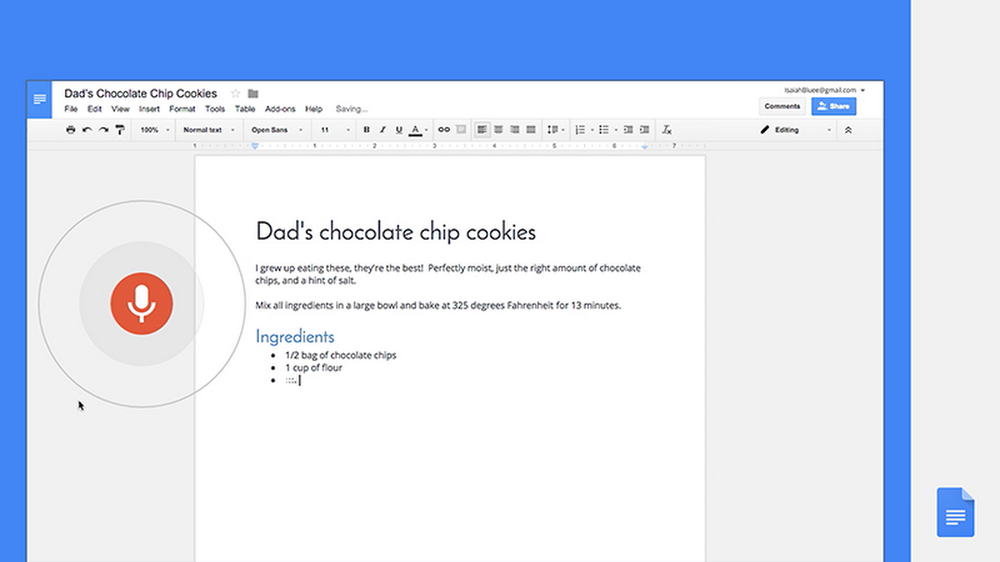
Google Docs now —for example, “copy” or “insert table”—making it easier for people who can’t use a touchscreen to edit documents. We’ve also continued to work closely with , a leading provider of assistive technology products, to improve the Google Docs and Drive experience with the JAWS screen reader.
Voice commands on Android devices
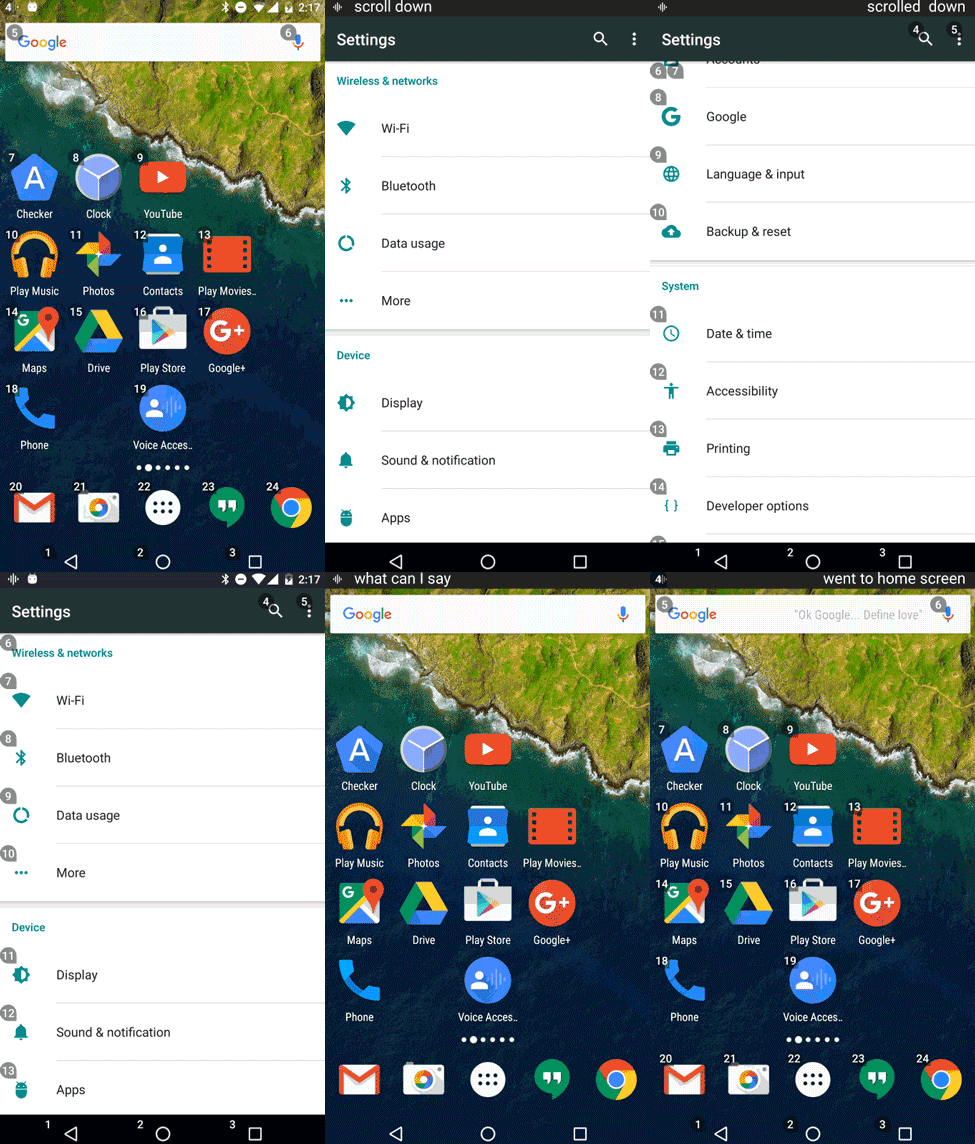
We recently launched Voice Access Beta, an app that allows people who have difficulty manipulating a touch screen due to paralysis, tremor, temporary injury or other reasons to control their Android devices by voice. For example, you can say “open Chrome” or “go home” to navigate around the phone, or interact with the screen by saying “click next” or “scroll down.” To download, follow the instructions at .
To learn more about Google accessibility as a whole, visit .

A tool to help develop accessible apps
Accessibility Scanner is a that lets developers test their own apps and receive suggestions on ways to enhance accessibility. For example, the tool might recommend enlarging small buttons, increasing the contrast between text and its background and more.
Improvements for the visually impaired in Android N
A few weeks ago we a preview of Android N for developers. As part of this update we’re bringing Vision Settings—which lets people control settings like magnification, font size, display size and —to the Welcome screen that appears when people activate new Android devices. Putting Vision Settings front and center means someone with a visual impairment can independently set up their own device and activate the features they need, right from the start.
An improved screen reader on Chromebooks
Every Chromebook comes with a built-in screen reader called ChromeVox, which enables people with visual impairments to navigate the screen using text to speech software. Our newest version, ChromeVox Next Beta, includes a simplified keyboard shortcut model, a new caption panel to display speech and Braille output, and a new set of navigation sounds. For more information, visit .
Edit documents with your voice
Google Docs now —for example, “copy” or “insert table”—making it easier for people who can’t use a touchscreen to edit documents. We’ve also continued to work closely with , a leading provider of assistive technology products, to improve the Google Docs and Drive experience with the JAWS screen reader.
Voice commands on Android devices
We recently launched Voice Access Beta, an app that allows people who have difficulty manipulating a touch screen due to paralysis, tremor, temporary injury or other reasons to control their Android devices by voice. For example, you can say “open Chrome” or “go home” to navigate around the phone, or interact with the screen by saying “click next” or “scroll down.” To download, follow the instructions at .
To learn more about Google accessibility as a whole, visit .