
Chaos V-Ray 7.30.00 (x64) for Rhinoceros
Size: 1.20 GB
format:Rar/exe/iso/dmg
Languages: English
Compatibility: Windows 10, 11 [64-bits]
V-Ray Next for Rhino is much more than a do-it-all smart renderer that creates gorgeous images of your designs. It is also a full suite of tools to help you accomplish more in Rhinoceros than ever before. V-Ray Next makes it easier to manage everything in your scene - even the crazy complex ones. It is 50% faster overall, with GPU rendering 2x as fast and 7x faster using the Adaptive Dome Light. V-Ray Next for Rhino is compatible with Rhino 5 and 6 on Windows only.
Superior Grasshopper support:With V-Ray Next, you can do more in Grasshopper than ever before and get advantage of powerful capabilities. Render your parametric designs directly without "bakes" or exports. Animate Grasshopper definitions as well as cameras and sun, and measure real-world illumination values - all right in Grasshopper.
-Adaptive Dome Light: Render faster, cleaner and more accurate image-based lighting that's up to 7x faster. The new Adaptive Dome Light also removes the need to set up Portal lights for interiors.
-Powerful asset management: The new asset management system helps you keep track of everything in your scene and streamlines your entire workflow. Now it is quick and easy to preview and manage lights, materials, textures and more all from a single location.
-Simplified Render controls: V-Ray Next for Rhino includes a redesigned interface that is more intuitive and easy to use. From the new camera layout to the simplified render controls, you'll spend less time navigating and more time designing.
-Material metalness: The V-Ray Material adds native support for metallic reflections (Metalness) for greater compatibility with PBR materials from applications like Substance Designer.
-Automatic exposure & white balance: Capture the perfect exposure every time. The new Auto Exposure and Auto White Balance camera controls make rendering as simple as point and shoot.
-Optimized materials: V-Ray materials have been fine-tuned for faster render speeds, improved GPU rendering, and Chaos Cloud compatibility
-Licensing and backward compatibility: The upgrade to V-Ray Next for Rhino will allow customers to use either V-Ray Next for Rhino or V-Ray 3 for Rhino. V-Ray 3 for Rhino Workstation licenses will work with V-Ray Next Render Node licenses. V-Ray Next for Rhino will work only with V-Ray Next Render Node licenses (Perpetual and Rentals). With the launch of V-Ray Next for Rhino, support for V-Ray 1.5 and 2.0 for Rhino is discontinued.
How to install and activate?
Installation and activation instructions are included (inside).
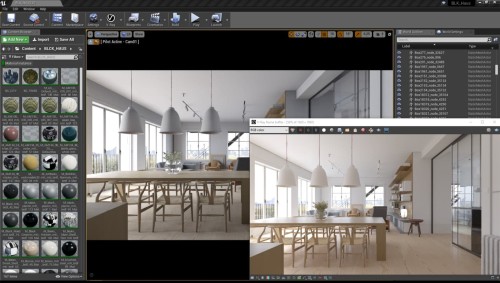
Screenshots
ALL HOSTERS ARE COMPATIBLE - ALLE HOSTER SIND KOMPATIBEL



