
Downie v4.3.9 macOS
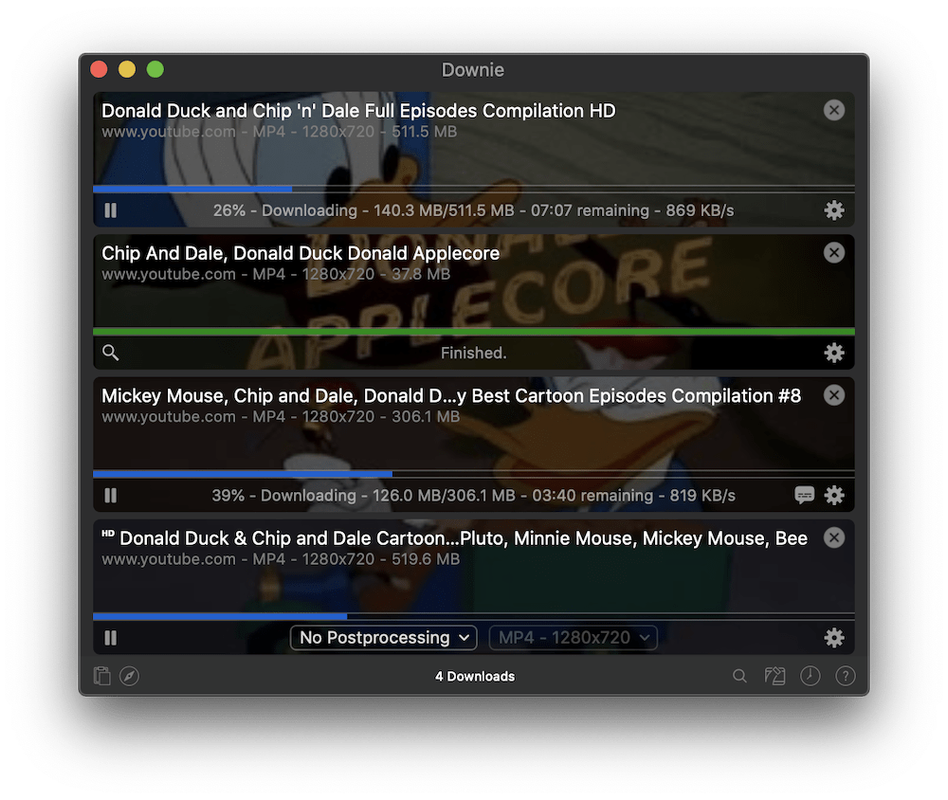
Key features:
• Supports many sites - currently supports over 1,000 different sites (including YouTube, Vimeo, etc.) and the number is rapidly growing.
• 4K video YouTube support - unlike many other YouTube downloaders, Downie supports HD video on YouTube, up to 4K.
• Postprocessing - need your video in MP4 for iTunes? Or want just the audio track? No problem, Downie can handle this for you automatically!
• Quick support - I respond to emails usually within 24 hours and often add support for requested sites in the next update.
• Frequent updates - Don't wait weeks for new sites to be supported, or bugs to be fixed! Downie is updated about once a week with new features, sites supported, etc.
• International - not only that Downie supports country-specific sites, it is localized into various languages. If your language is missing, contact us - we can offer you a free license in exchange for a translation.
Downie 4 brings many new features, main being listed here:
• Updated UI - the UI has been revised and updated, offering more options at the tip of the mouse.
• Major speed improvements - several links can now be loaded at once and YouTube videos get prepared for downloads about 6x faster than in Downie 3 (based on time required to process a 30-item YouTube playlist on iMac 27" (2019)).
• Sandbox - Downie 4 is now sandboxed for better security.
• Metadata Improvements - the metadata that Downie gathers can be written into an external JSON file for further custom processing.
• Improved User-Guided Extraction - the UGE window now has history, allows saving favorites and much more.
• Customizable Postprocessing - you can now write your own shell script to handle custom postprocessing.
• Option to Go Menu-Only - the long-awaited ability to run Downie just in the menu bar has finally arrived.
• Much, much more! - many minor improvements, like custom naming schemes, option to force MP4 downloads, better cancellation, priority flags, etc..
Requires macOS 10.12.6+

Key features:
• Supports many sites - currently supports over 1,000 different sites (including YouTube, Vimeo, etc.) and the number is rapidly growing.
• 4K video YouTube support - unlike many other YouTube downloaders, Downie supports HD video on YouTube, up to 4K.
• Postprocessing - need your video in MP4 for iTunes? Or want just the audio track? No problem, Downie can handle this for you automatically!
• Quick support - I respond to emails usually within 24 hours and often add support for requested sites in the next update.
• Frequent updates - Don't wait weeks for new sites to be supported, or bugs to be fixed! Downie is updated about once a week with new features, sites supported, etc.
• International - not only that Downie supports country-specific sites, it is localized into various languages. If your language is missing, contact us - we can offer you a free license in exchange for a translation.
Downie 4 brings many new features, main being listed here:
• Updated UI - the UI has been revised and updated, offering more options at the tip of the mouse.
• Major speed improvements - several links can now be loaded at once and YouTube videos get prepared for downloads about 6x faster than in Downie 3 (based on time required to process a 30-item YouTube playlist on iMac 27" (2019)).
• Sandbox - Downie 4 is now sandboxed for better security.
• Metadata Improvements - the metadata that Downie gathers can be written into an external JSON file for further custom processing.
• Improved User-Guided Extraction - the UGE window now has history, allows saving favorites and much more.
• Customizable Postprocessing - you can now write your own shell script to handle custom postprocessing.
• Option to Go Menu-Only - the long-awaited ability to run Downie just in the menu bar has finally arrived.
• Much, much more! - many minor improvements, like custom naming schemes, option to force MP4 downloads, better cancellation, priority flags, etc..
Requires macOS 10.12.6+