

Joystiq
Joystiq News
Dropbox is introducing a variety of . Of all the tweaks the company announced today, the most intriguing ones involve its automatic backup utility for photos you take with your phone. Most notably, starting today that functionality is now available to all Basic users — that is, those who don't pay for the service.
The company says it has also made backend changes to make uploads faster and “more reliable.” Additionally, on iOS, you can specify the exact folders you want to back up. That functionality is coming soon to Android as well. Lastly, there’s a new option to tell Dropbox to delete a photo after it has uploaded it to the cloud. Notably, these features come after Google recently .
Dropbox
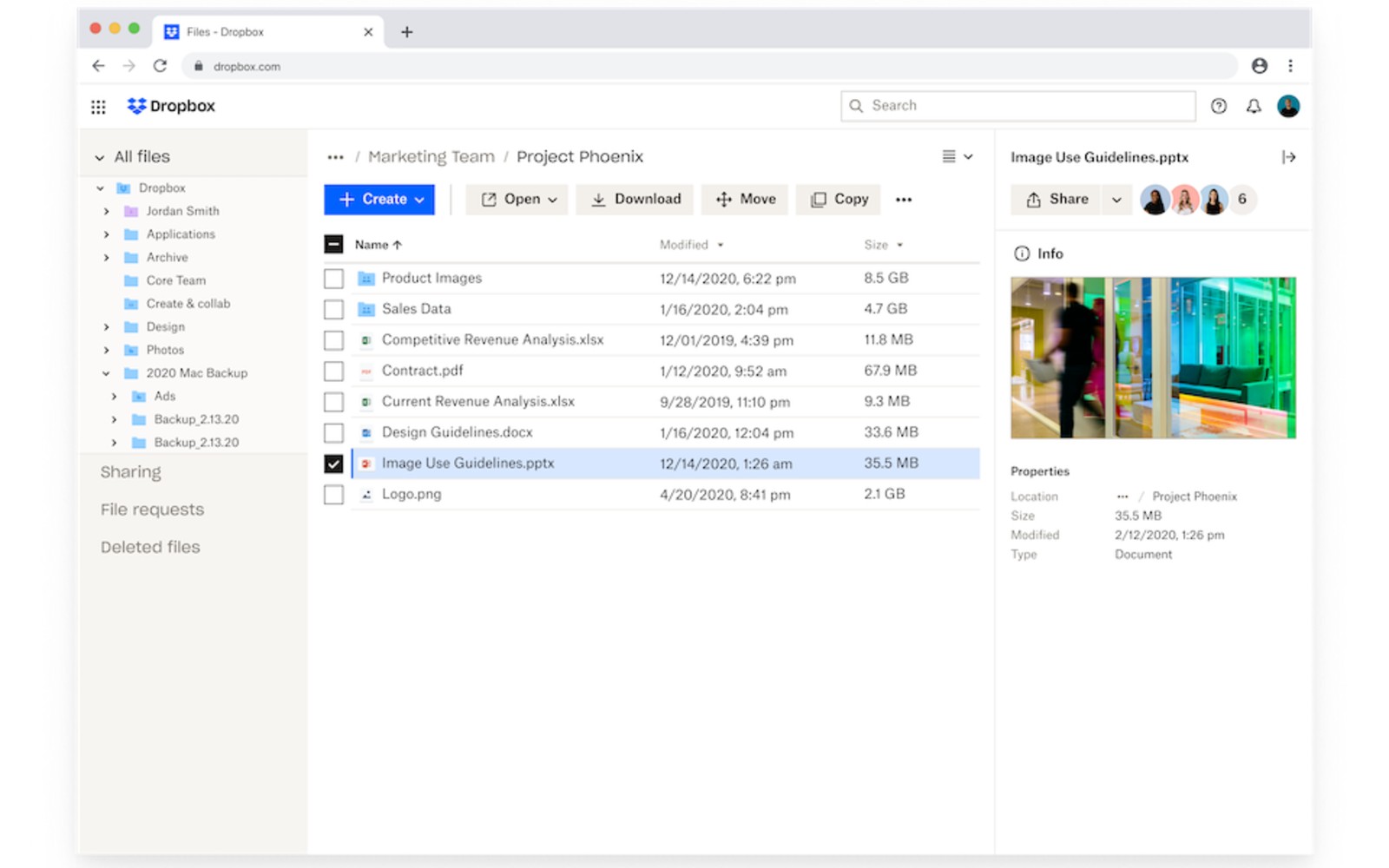
In its web client, meanwhile, Dropbox is introducing several interface tweaks. The most significant of those changes is the addition of a new tool that allows you to convert files to different formats without leaving the client, with JPEGs to PNGs as one example. Elsewhere, Dropbox says a redesigned details pane makes it easier to see important information about your files. The company claims it has also made it faster to jump between different folders with a new side navigation bar.
As part of today’s update, Dropbox is also introducing a handful of new features to its . Available to , the tool can now store debit and credit card information. Dropbox has also added support for password sharing. Oh, and you can now download a free browser extension, making it easier to input and save passwords when you’re browsing the web on your computer. On their own, the changes Dropbox detailed today are small, but when you add them up, they make for a more compelling service.
Console Bang News!
The company says it has also made backend changes to make uploads faster and “more reliable.” Additionally, on iOS, you can specify the exact folders you want to back up. That functionality is coming soon to Android as well. Lastly, there’s a new option to tell Dropbox to delete a photo after it has uploaded it to the cloud. Notably, these features come after Google recently .
Dropbox
In its web client, meanwhile, Dropbox is introducing several interface tweaks. The most significant of those changes is the addition of a new tool that allows you to convert files to different formats without leaving the client, with JPEGs to PNGs as one example. Elsewhere, Dropbox says a redesigned details pane makes it easier to see important information about your files. The company claims it has also made it faster to jump between different folders with a new side navigation bar.
As part of today’s update, Dropbox is also introducing a handful of new features to its . Available to , the tool can now store debit and credit card information. Dropbox has also added support for password sharing. Oh, and you can now download a free browser extension, making it easier to input and save passwords when you’re browsing the web on your computer. On their own, the changes Dropbox detailed today are small, but when you add them up, they make for a more compelling service.
Console Bang News!