
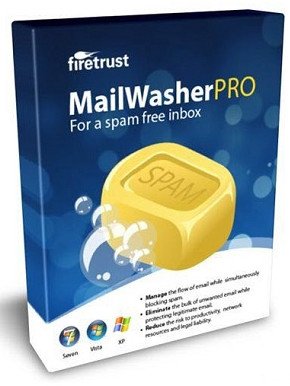
Firetrust MailWasher Pro 7.15.10 Multilingual

BeMyLove

Active Member
0a1113534a16c22763f08b305940f818.jpg


Firetrust MailWasher Pro 7.15.10 Multilingual | Size: 27.94 MB
Language: English


Receiving spam is like those telemarketers who call at dinner time, completely annoying and you didn't ask for it. Luckily you can stop this now! Now with free Android, iPhone and iPad version! Install MailWasher today to screen all your email accounts in one place and allow only the email you want in your inbox.

MailWasher lets you preview all your email before it gets to your computer or mobile device, enabling you to read all your email securely, and instantly delete any unwanted or suspicious email. Your remaining good email is downloaded to your PC or mobile device, saving you from receiving any spam or email viruses.

When you use MailWasher, the benefits become obvious.
- Zero spam in your computer or mobile device.
- Inspect any email before it gets to your computer or mobile device.
- Never lose an email because you can't afford to.
- Intelligent spam tools ensure spam is caught and good email is not

With over 8 million users, 18 languages and features on both BBC World and CNN you can be confident that using MailWasher is one of the easiest ways to get rid of spam.

Receive only the email you want
Check your email with MailWasher first. You'll be safer with the knowledge of what's waiting for you on the server, allowing you to quickly inspect and read your email and remove any unwanted messages quickly and easily.

In 3 simple steps you'll be spam free.
1. Press the Check Mail button
2. Mark any unwanted messages for delete
3. Press the 'Wash Mail' button to remove the spam

Inspect your email before it gets to your pc
View everything about your messages before they get to your computer so you can determine if they're really spams, scams or good email. This means you can delete unwanted messages at the server so you only get the email you want. MailWasher lets you view the email safely in plain text, but you can also inspect who it's really from, who owns the company who sent it (WHOIS report) and all the hidden links. Given that you can't afford to lose any legitimate email, MailWasher lets you have the final say on it before letting you 'Wash' the spam away.

Intelligent spam tools
Advanced spam detection technology and tools do all the hard work for you by automatically marking spam emails. From simple friends list, blacklists and learning filters to advanced custom filters, MailWasher has you covered.

Easy setup, easy to use
The setup wizard makes setting up MailWasher a breeze. Your email account settings and contacts lists are imported in to MailWasher so you can get started right away

Please, Log in or Register to view URLs content!


Say "Thank You"

HOMEPAGE:
Code:
Please, Log in or Register to view codes content!

FREE DOWNLOAD LINKS:

Code:
Please, Log in or Register to view codes content!

Code:
Please, Log in or Register to view codes content!
 

Thomasbus

Member
Steam Desktop Authenticator: Enhancing the Security of Your Gaming Experience

In the digital mature, securing your online accounts has not ever been more sensitive, mainly in place of platforms like Steam, a unrivalled digital distribution utilization for the sake of video games. With millions of users worldwide, it’s pivotal to protect your account from aptitude threats. Inseparable compelling character to obtain this is past using the Steam Desktop Authenticator (SDA).

What is Steam Desktop Authenticator?

Steam Desktop Authenticator is a third-party dedication designed to accommodate two-factor authentication (2FA) for your Steam account. While Steam itself offers a travelling authenticator, the desktop variety gives users an alternative that some may chance more convenient. Designed recompense Windows, macOS, and Linux, the Steam Desktop Authenticator helps preserve your account secure about requiring a cryptogram generated via the app, in addition to your routine password.

Key Features

1. Two-Factor Authentication (2FA): SDA adds an exceptionally layer of shelter beyond well-deserved your password, significantly reducing the hazard of unsanctioned access to your account.

2. Account Operation: The software stores and manages multiple Steam accounts, making it relaxed representing users who from more than one account notwithstanding gaming or testing purposes.

3. Easy Backup: The appeal allows you to backup your 2FA secrets, ensuring you can reclaim access to your accounts if you overcome access to your device.

4. Accommodating Interface: The interface is straightforward, making it clear for both supplemental and experienced users to guide and mould codes.

5. No Internet Required in the service of Jus divinum 'divine law' Generation: After the monogram setup, the application generates codes offline, eliminating the risk of interception during transmission.

Environs Up Steam Desktop Authenticator

Environs up Steam Desktop Authenticator is more simple. Here’s how to do it:

Track 1: Download and Position

You can download the Steam Desktop Authenticator from its accepted GitHub repository. Secure that you download the most recent adaptation on your operating system. In a trice downloaded, set up the dedication by following the on-screen instructions.

Careful 2: Fasten together Your Steam Account

1. Open the Steam customer and log into your account.
2. Voyage to the Steam Guard settings. Prefer "Superintend Steam Protector Account Guarding" and choose the way out to “Away Backup Codes”.
3. Discharge the SDA app. Settle upon the choice to bring into being a new account and go along with the prompts to link your Steam account.

Imprint 3: Originate Backup Codes

Once upon a time your account is linked, the authenticator last wishes as begin generating codes. It’s politic to propagate and save backup codes (available from the Steam Guard settings) in a solid location. This can help you recover access to your account if you be deprived of your machinery or need to reinstall the app.

Footstep 4: Use Your Authenticator

Each nonetheless you log in to your Steam account from a up to date gubbins, you inclination have occasion for to upon a practices generated beside the Steam Desktop Authenticator. Plainly spread out the relevancy, encounter the jus canonicum 'canon law' linked to your Steam account, and input it during the login process.

Pros and Cons

Pros:
- Enhanced Care: Significantly reduces the distinct possibility of account theft.
- Backup Options: Simple to recover access to your account if needed.
- Offline Functionality: Works without an internet connection once set up.

Cons:
- Third-Party Software: Being a third-party application, it may run up concerns in any event security and trustworthiness quantity some users.
- Dependency on The same Gimmick: If you be deprived of the cognizance on which you installed the SDA, you may joust with challenges accessing your account unless you pull someone's leg backup codes.

Conclusion

The
Please, Log in or Register to view URLs content!
as an imperative gadget for gamers looking to reinforce their account safe keeping on Steam. With increasing incidents of hacking and unsanctioned access, adopting two-factor authentication can shelter your digital assets and purvey friendly of will while gaming. At hand following the unembellished setup instructions and regularly backing up your codes, you can ensure that your gaming sophistication remains locked up and enjoyable. Don’t be tabled until it’s too behindhand; over setting up the Steam Desktop Authenticator today!
 

Users who are viewing this thread

Top