
Version of the program: 2.1
Interface language: Ru, En
Treatment: no required
System Requirements:
Windows 10-11 (64-bit)
Description:
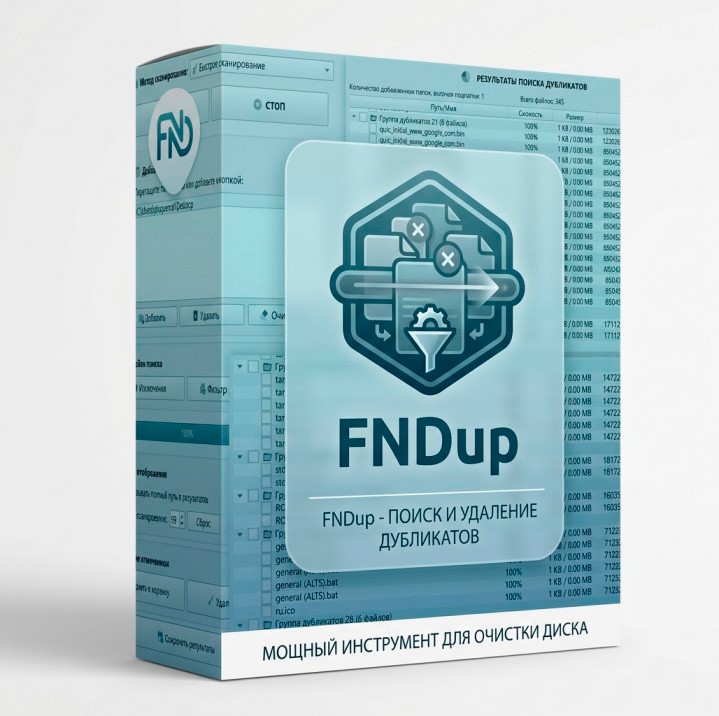
FNDup is a powerful and intuitive application designed to free up a hard drive space by intelligently searching and safely removing duplicates of files and folders. The program offers the user a lot of flexible scanning methods: from the fastest polbyte comparison to advanced algorithms for analyzing the similarity of images, music tracks and videos. FNDup will become an indispensable assistant for home use.
✦ Additional information: ✦The program is designed to speed and convenience. Built-in indexing mechanisms save the results of calculations, allowing you to repeatedly speed up repeated checks of the same directories. The interface is adapted for comfortable work with large data sets: it supports dark and light themes, dynamic filtering formats, the Drag & Drop function and has built-in media palpable tools. You can use the exception lists for system files and flexibly manage results with a thoughtful context menu.
✦ Features of the program: ✦Variety of Algorithms: Search for exact copies, similar names, visually similar images (using perceptual hashes) and audio/video files with the same sound.
Method - Rapid scanning. This is the most productive algorithm. First, the program groups files by size (since the different files can not be identical). For those that coincided in size bytes, the checksum (hesh) is calculated. If the hashes are the same, the files are recognized as duplicates.
Method - Scanning by similarity. Analyzes file names and partial match of content (size and byte structure). Search for documents with similar names, duplicates with minor changes.
Method - Search by the initial symbols. Compares the names of files by the first N characters (from 3 to 30). Search for file versions (e.g. Doc_v1, Doc_v2) or files with a similar name structure. This method allows you to find files that have a common "root" in the name. This is useful when files are copied with the addition of suffixes (e.g. File Name (1), Name of File (2)). You can set a length threshold to rule too short coincidences. Supports bilingual search for names (e.g., GdePosylka and where the Parcel) will be considered the same.
Method - Similar images. Unlike conventional hashing, perceptual hashing "sees" the image. Uses perceptual hashing (dHash, pHash, wHash) to analyze visual content. d Hash (Difference Hash): Analyzes the brightness gradient between the adjacent pixels. pHash (Perialcept Hash): The recommended method. Uses discrete cosine transformation to search for common visual traits wHash (Wavelet Hash): Logically the most accurate method using wavelet-transformation to analyze parts at different frequencies. Sometimes it can cause false positives. Search for duplicate photos that were compressed, turned, cropped or slightly edited. The recommended level of similarity to search is not lower than 90% to prevent false positives.
In the method, similar images, after scanning, in each group of silence, the image "lethal" is selected. The algorithm chooses it as an image with the best quality. The standard is always in the left block of the preview, and the right shows the image on which you click with the mouse. To set the standard yourself, put a tick in front of the desired picture.
Method - Similar audio files (Acoustic analysis). Used utility fpcalc (AcoustitID library). The program removes the sound "signature" (audio-fingerprint) from the file. This imprint is unique for a particular melody. Even if the file is recoded from WAV to MP3 or changed the bitrate, the "fingerprint" will remain identical, which allows the program to find a duplicate where the usual search for the hash file is powerless. The test showed excellent results by determining the similarity ~85% even between tracks in different languages: t.A.T.u. - I went crazy.mp3 and track t.A.T.u. - All The Things She Said.mp3
It's the same song in Ru and En, but the music motif is one. Only the language in which the performer (Ru and En) sings differs. Acoustic analysis determined the similarity based on the song.
Method - Similar Videos (only with audio). Analyzes only the audio track of the video file for the match of the sound range. In fact, the same method as "Simultaneous audio files" is only adapted for video files. Unlike neural networks, which require a lot of resources and time, this method is significantly effective. The only drawback is that you will not find duplicates of videos in which there is no sound.
Advanced Preview: Play the found music directly from the list of results, open the video in the system player and compare similar photos in a special block with highlighting the best resolution and size.
Indexation of results (experimental): Accelerating re-seeking by storing hashes and disk scanning data.
Flexible filters: Support for Live-filtration extensions and categories in real time, as well as advanced filters in file size.
Security: Maintaining a detailed log file of deleted elements and the ability to send duplicates to the cart to prevent accidental data loss.
Support for the dark theme
Support Drag & Drop
Depth of scanning. You can set the scan depth up to 99 folders. 0 folders means scanning only the selected folder without taking into account subfalls
✦ What's new in version 2.1? ✦
Added:
Added method "Similators" with support for dHash, pHash, wHash algorithms and setting up the percentage of similarity (from 50% to 100%).
Added method "Similar audio files" to search for music on sound.
Added method "Similar video (only with audio)" to search for video duplicates based on the analysis of their audio paths.
Added method "Search by initial characters" with a customizable length threshold (from 3 to 30), supporting bilingual names (for example, GdePosylka and where the Parcel).
Added options for the context menu "Shoot all marks", "Select the first results", "Select the second results", "Rename", "Copy the way", "Copy file / folders", "Copy", "Cut", "Exclude the way to the folder", "Select old files" to the context menu for easy to manage files.
Added button "Reset" in the search box to return to the original results without re-scanning.
Limited implementation is implemented the creation of indexing files (in the index folder) after the scan to significantly speed up the repeated checks.
Added search among the results, as well as implemented a Live filter by category next to the search. Allows you to filter results by category (Images, Audio, Videos, Documents, System and Others) for quick sorting of found files.
Support for hardware acceleration at the expense of PC resources for image and audio search is implemented.
Added built-in media presentation: audio playback directly in the results using interactive slider and Play/Pause icons.
Added visual preview of duplicate images with color display files with the least resolution or size.
The tables of the results added columns "Beatret" (for audio), "Permission" (for photo) and "Length" (for video / audio in the format of CHF:MM:SS).
Added real-time meter, displaying the number of files found during the scanning process.
Added "Loging" window that stores the history of all deleted files (the way, size, date) to the log.txt file.
Implementing pop-up hints with a detailed description for each scanning method and filter windows.
Added option "Only second folder files coinciding with the first" for direct comparison of the contents of strictly two directories.
Added dark/light theme switch in one click
Added the ability to turn on and disable columns in the search results by right-click on the title.
Changed:
Scanning progress is now detailed and displayed in tenths of a percent (0.1%, 0.2%).
The left block with all the parameters became cascading. Now it can be scrolled through the mouse wheel.
In the block "Added folders" there were checkboxes: the removal of the tick instantly hides the results of the directory without cleaning the list or re-scanning
The file size in the interface is now scaled dynamically (in KB, MB or GB depending on the real weight).
The logic of the hotkey is changed: the selection of files through Shift and pressing Space/Enter simultaneously switches gearboxes for all selected elements.
The application of the dark theme is optimized: all elements of the list are painted correctly from the first switch.
With a double click on the video in the results, the file automatically opens in a video player assigned to the default system.
The extension filter and exceptions is translated into Live mode: any changes apply to the list of results instantly without rescancellation.
In the "Similar Images" method, duplicates are grouped vertically (only one another), and the files are centered.
Corrected:
Fixed a bug that blocks the change in the height of the program window when using some scanning methods.
Eliminated the displacement of the interface elements beyond the taskbar when changing the method.
Fixed the error "No data for storage", which arose while maintaining the results in the method of rapid scanning.
The work of the Drag&Drop function is restored directly in the "Added folders" block.
Disabled undesirable automatic rescanration, which was launched immediately after the removal of duplicates.
Fixed reset of ticks from the noted files when activating the function "Show the full path in the results".
The correct operation of the scanner with files using rigid links is ensured.
Fixed erroneous display of size (0kb or 4kb) for heavy folders in directory search mode.
The functions of deleting through the context menu ("Delete to the cart" and "Remove immediately") are now correctly applied to all files with checkboxes affixed.
A visual bug was eliminated, because of which an empty checkbox appeared next to the audio slider at the command "Shoot all marks".
Fixed the opening of audio playback when switching the topic or display options of the tracks.
The possibility of adding several dedicated files to the list of exceptions has been restored.
The color of the text in the Live-search field is adapted to the background to maintain reading in light and dark modes.
Cleaning the folder list now also correctly cleans the interface of previous scanning results.
⋆- - - - -☽───⛧ ⤝❖⤞ ⛧───☾ - - - -⋆
FNDup 2.1 (Author distribution) (124 MB)
18-06-2026 |
 03:01 UTC
RapidGator
NitroFlare