

When your PlayStation or peripherals do things you've never seen before, it's understandable to get worried. The DualShock controller light doesn't usually flash white. There are two main reasons you might see the flashing white light on your DualShock controller: either the battery is dying, or the controller failed to connect to your PlayStation console. Both these things are fixable. We just need to troubleshoot the problems so you can get back to enjoying your games with the available. Here's how to get started.
Jump to:
Products used in this guide
- AmazonBasics PlayStation 4 Controller Charging Cable
- DualShock 4 Wireless Controller
Check your USB cable
USB cables can be fragile. One of the most straightforward problems to fix is replacing your old USB charging cord and replacing it with shiny new ones. Just some basic USB charging cables work well with the DualShock controller and are worth picking up to make sure your cable isn't stopping your controller from charging.
- Once the replacements have arrived, plug the USB into the PlayStation 4.
- Plug your USB into the DualShock controller.
- If the light changes to blue or orange, the issue was the cable.
Reset your console
The old "turn it off and back on again" trick works more times than you think! Sometimes, all that's needed is a simple restart on the PlayStation 4.
- Power off your PlayStation by holding down the power button for 10 seconds.
- Remove the power cord from the back of the PlayStation 4.
- Wait about 3 minutes.
Plug your power cable back in.
- Power on the Playstation 4.
- Plug your USB charging cable into the PlayStation 4.
Plug your USB charging cable into the DualShock controller.
- Press the PlayStation button on the DualShock controller to turn it on.
Reset the controller
Your controller has its own software, and when that software gets updated, things can get corrupted. Fortunately, you can reset your DualShock controller back to factory default.
Turn your controller over to find the reset button on the back by the top right screw.
- Using an unfolded paperclip, or a sim card opener from your phone push the button inside of the hole.
- Hold the button down for 5 seconds.
- Use steps 6, 7, and 8 in the previous guide above to reconnect your DualShock controller to the PS4.
Start in safe mode
It may be that your PS4 is to blame and not the controller. You can do some more troubleshooting in safe mode, including Sometimes just going into safe mode to connect your DualShock controller will bypass any issue.
Note: Do not attempt to launch your PS4 in safe mode if your USB ports are not working. After you start your console in safe mode, you need to sync your controller through a USB port. If your USB ports aren't working, you will need to fix them before attempting this step.
- Turn off your PS4.
Press and hold the power button until you hear two beeps: one when you first press and another seven seconds later.
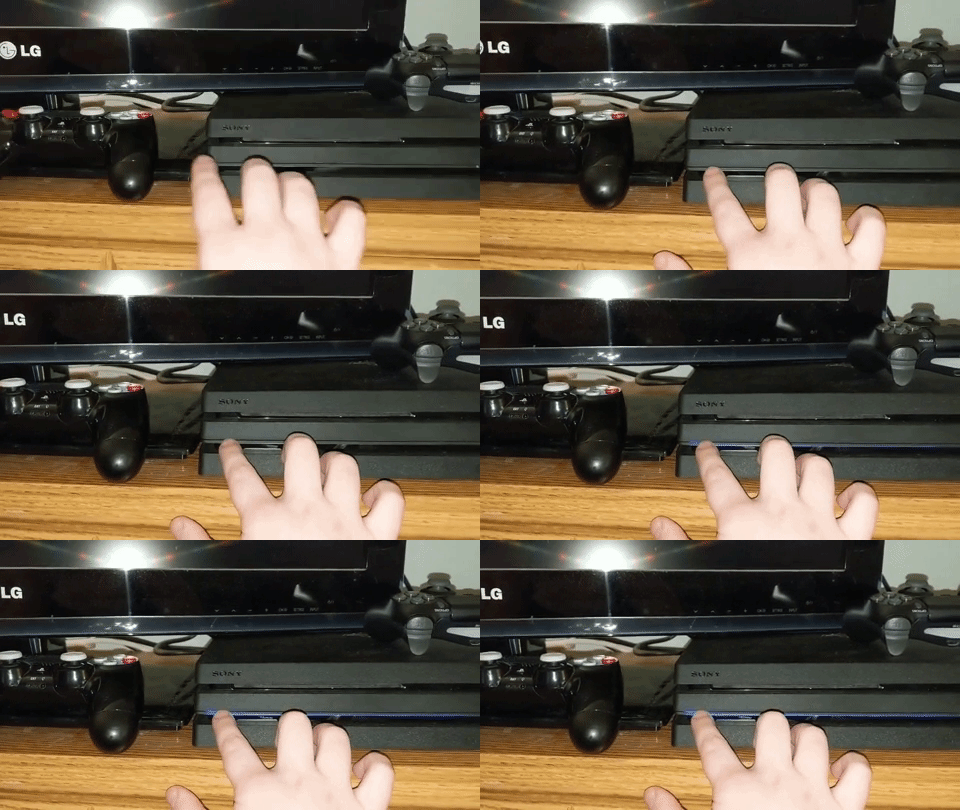
Connect your DualShock 4 controller with the USB cable.
- Press the PS button on the center of the controller.
Using a DualShock 4 on PS5
DualShock 4 controllers are compatible with . For the easiest way to connect your controller, simply plug it in via the USB charging cable. Keep in mind that while the DualShock 4 will work on PS5, it's only compatible with PS4 games through . You cannot play PS5 games with a DualShock 4 controller.
That's all it takes
If none of the steps above work, you may have a faulty controller. It happens, especially if your controllers aren't handled with care. My toddler likes to use my controller as a hammer sometimes, and I'm sure that's not good for it. If that's the case, then you may need to return it to the store you bought it from or pick up a new one.
Replacement controller
DualShock 4 Wireless Controller
Get a replacement
If you can't fix the flashing white light issues, you might have to get a new DualShock 4 controller.
Connectivity is king
AmazonBasics PlayStation 4 Controller Charging Cable
Easy connection
This cable is made by Amazon specifically for your PS4 controller hand lets you play and charge, so you're not stuck waiting to recharge your DualShock 4 when you could be playing games.