

Stop daydreaming and start, you know, Daydreaming!
takes your phone and turns it into a virtual world beyond your wildest imaginations, using a simple headset and controller. There are plenty of apps and games for your Daydream headset, but you can't use those without setting the headset up first.
Here's how to set up your new Daydream headset!
Take off the lens protectors
I'm listing this first because I used my Daydream headset for an hour or so before I realized just why the image was so blurry. There's an imperceptibly thin piece of film covering each lens in the Daydream headset, so make sure you take these off before using the headset.
Grab some apps
give you the option to install the Daydream app during the initial setup, but won't have this. Before plopping your phone in the headset, make sure you download the Daydream and Daydream Keyboard apps.
While you're downloading apps, check out some of the best apps for Daydream. You can get to the Play Store and download apps while you're wearing the headset, but if you know you're going to use a certain service, you may as well grab it while your phone is still in your hand.
Set up your audio
Just a couple more steps before putting on the headset; time to make sure your audio is good to go. You can, of course, hear VR experiences through your phone's speakers, but a good pair of headphones is going to be a whole lot more immersive. If you have a dedicated VR room with some fancy speakers, you can also use to transmit your audio.
Pair the controller
When you place your phone in the headset, you'll be prompted to pair it with the included controller:
When the controller is paired, you're ready to move onto the next step.
Place your phone in the headset
We're almost in business. There will be some setup screens once you put the headset on, but first we need to make sure the phone is placed in the headset correctly.
The very last step is trying the headset on.
Test the fit
The headset may not be 100% comfortable, but that's okay. Here are some tips to getting the perfect fit!
We have plenty more about Google Daydream, including the best apps in each category, tips on which headphones to use, and ways to keep the headset clean. Be sure to check out the Daydream Ultimate Guide for more!
What say you?
Did you have a hard time setting up your Daydream headset? Let us know down below!
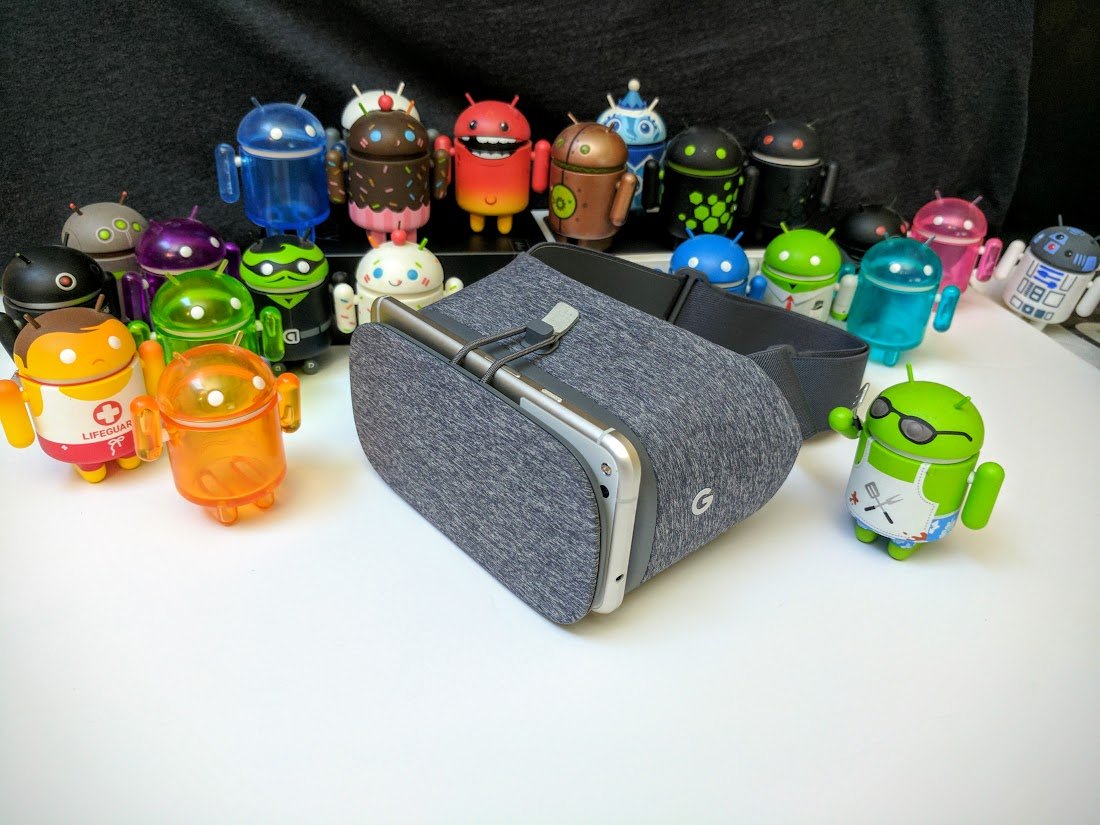

takes your phone and turns it into a virtual world beyond your wildest imaginations, using a simple headset and controller. There are plenty of apps and games for your Daydream headset, but you can't use those without setting the headset up first.
Here's how to set up your new Daydream headset!
Take off the lens protectors
I'm listing this first because I used my Daydream headset for an hour or so before I realized just why the image was so blurry. There's an imperceptibly thin piece of film covering each lens in the Daydream headset, so make sure you take these off before using the headset.
Grab some apps
give you the option to install the Daydream app during the initial setup, but won't have this. Before plopping your phone in the headset, make sure you download the Daydream and Daydream Keyboard apps.
While you're downloading apps, check out some of the best apps for Daydream. You can get to the Play Store and download apps while you're wearing the headset, but if you know you're going to use a certain service, you may as well grab it while your phone is still in your hand.
Set up your audio
Just a couple more steps before putting on the headset; time to make sure your audio is good to go. You can, of course, hear VR experiences through your phone's speakers, but a good pair of headphones is going to be a whole lot more immersive. If you have a dedicated VR room with some fancy speakers, you can also use to transmit your audio.
Pair the controller
When you place your phone in the headset, you'll be prompted to pair it with the included controller:
- Press and hold the indented button on the controller to wake the controller up and start the pairing process.
- Open the Bluetooth settings on your phone, then tap Pair new device.
- You should see the Daydream controller listed under available devices; tap "Daydream controller" to pair.
When the controller is paired, you're ready to move onto the next step.
Place your phone in the headset
We're almost in business. There will be some setup screens once you put the headset on, but first we need to make sure the phone is placed in the headset correctly.
- Put the tab on top to open the headset.
- Place your phone down on the inside of the headset. If you don't see the Daydream app launch, rotate your phone ninety degrees.
- Close the headset, then re-hook the top tab.
The very last step is trying the headset on.
Test the fit
The headset may not be 100% comfortable, but that's okay. Here are some tips to getting the perfect fit!
- Each strap has a plastic slider on it that tightens or loosens the strap. If the strap is too tight, move the plastic slider closer to the center. If the strap is too loose, move the plastic slider closer to the headset.
- The top strap can be removed if you'd like. To do this, unhook the strap from where it meets the side strap. Then, remove the interior cushion that rests against your face, and unhook the strap from inside the headset.
We have plenty more about Google Daydream, including the best apps in each category, tips on which headphones to use, and ways to keep the headset clean. Be sure to check out the Daydream Ultimate Guide for more!
What say you?
Did you have a hard time setting up your Daydream headset? Let us know down below!