

Windows
Windows
Today, both for new devices pre-loaded with Windows 11 and eligible Windows 10 devices. Windows continues to be integral to how more than a billion people connect, learn, play and work. Windows 11 brings you closer to what you love, empowering your creativity and productivity while advancing critical elements such as security and reliability. In this post I’ll explain the measured and phased rollout process for Windows 11, and how to get the upgrade when your device is ready.
 Our measured and phased approach to the rollout of Windows 11 means we will offer the upgrade via Windows Update when data shows that your device is ready, as our objective is to provide a good upgrade experience. If we detect that your device may have an issue, such as an application incompatibility, we may put a safeguard hold in place, and not offer the upgrade until that issue is resolved. To learn more about the status of the Windows 11 rollout, safeguard holds, and which holds may be applied to your device, visit . .
About the upgrade to Windows 11
Our launch approach to Windows 11 leverages the well-established systems and processes used for the 1.3 billion Windows 10 devices we have shipped and serviced for over five years. We will use a measured and phased process in offering Windows 11 as we have done with Windows 10 feature updates. Our objective is to provide you with a smooth upgrade experience. We will begin to offer the upgrade to eligible new devices first1,2. Then, as with previous rollouts, we will study device health data and other signals to determine the pace at which Windows 11 is offered via Windows Update. Over time, we will make Windows 11 available to existing (in-market) devices based on hardware eligibility, reliability metrics and other factors that impact the upgrade experience. If you have a Windows 10 PC that’s eligible for the upgrade, Windows Update will let you know via the Windows Update Settings page when it’s available. We expect all eligible Windows 10 devices to be offered the upgrade to Windows 11 by mid-2022. Oct. 4, 2021 also marks the start of the 24-month lifecycle for the Home and Pro editions of Windows 11.How to get Windows 11
Windows 11 devices
Starting today, a variety of exciting new devices are available pre-loaded with Windows 11, and new devices still shipping with Windows 10 will be the first to be offered the upgrade.Windows 10 devices
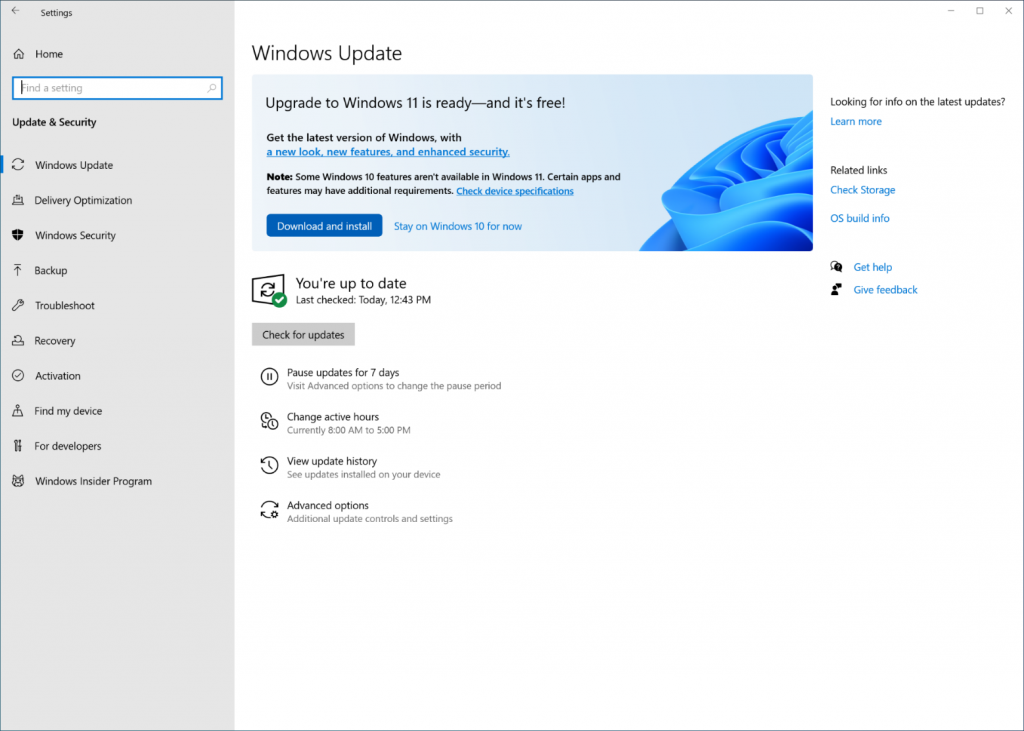
If you are running Windows 10 today, you can check to see if your device is eligible (i.e., ) to upgrade using the . You can then check to see if the Windows 11 upgrade is ready for your specific device by opening Windows Update settings (Settings > Update & Security > Windows Update) and selecting Check for updates3. If your device is eligible and the upgrade is ready, the option to download and install will appear: If you are ready to install Windows 11, simply select Download and install4. For more information on the Windows 11 upgrade experience, .