

Make your phone feel like a MrMobile review with this cool, retro home screen theme.
is one of the cooler cats I'm lucky enough to work with, and he introduced me to my now iconic accessory — my — and so when I first started making home screen themes for Android Central, his was one of the first. It's been a few years, and with my newer, simpler theming system, I decided it was time to update the theme and make it 150% cooler. I guarantee you that you can apply this theme in less time than it takes to watch one of MrMobile's reviews, so join me, my friends, and let's get our MrMobile on.
About our new theme system
The system our new themes will employ include Smart Launcher 5, KLWP Pro, and Icon Pack Studio in pursuit of a more streamlined application process thanks to Icon Pack Studio's integration with Smart Launcher 5 and its excellent layout.
To deploy this theme on another launcher, follow the Export and install instructions within the Icon Pack Studio app. For the live wallpaper, you may wish to adjust the touch shortcut or animations to conform to your launcher's layout.
Apps used in this guide:
MrMobile theme elements:
The KLWP theme used for this theme contains a music widget block at the top of the screen, an information widget block that states the date and weather conditions, and a centered MrMobile logo.
By default, tapping the Date text on the live wallpaper will re-open KLWP so you can tweak the live wallpaper to your liking. If you wish to use this shortcut to launch another app — such as your favorite sports app or messaging app for trash talking your friends — drag the Items tab to the left in order to reveal the Shortcuts tab at the right end of the carousel. Tap the KLWP text next to Date and select the app you would prefer to use instead.
How to apply an Icon Pack Studio Preset
Anker Powerline+ C to C 2.0 Cable (6 ft)
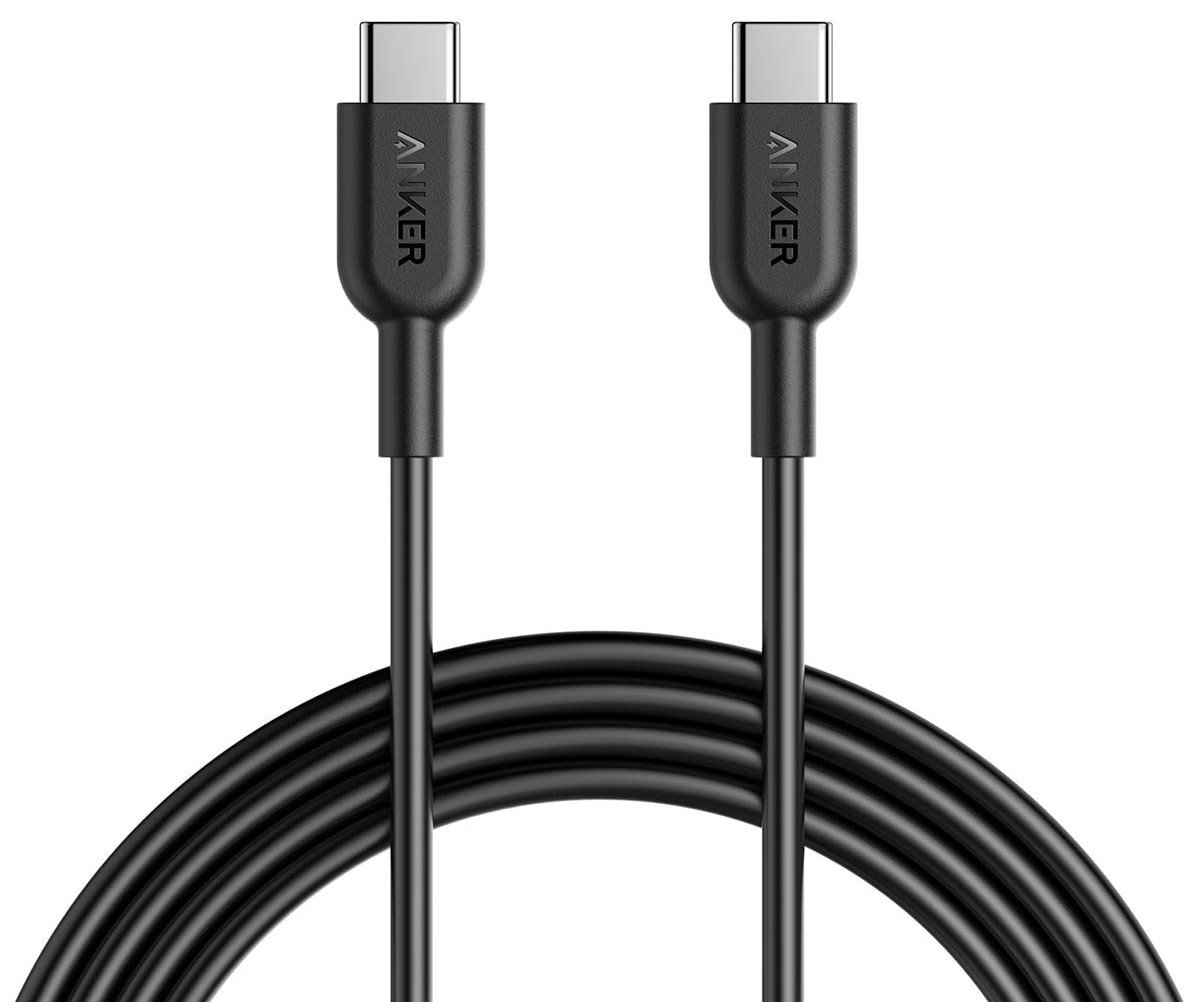
Keeping your phone plugged in while traveling is a constant pain, but a nice long USB cable can alleviate some of the stress of using those hard-to-reach outlets. Anker's cables are robust, and this six-foot example is a great travel companion.
Anker PowerCore 10000 USB-PD battery pack

When you're traveling you don't want anything to slow you down, so make sure you have a portable battery back that charges your phone quickly. This Anker 10000mAh pack supports 18W USB PD and it's incredibly light.
AUKEY CC-Y12 18W PD Car Charger
This is a super-compact USB-C car charger you can plug in and forget it's there until you need to charge your phone at top speed. Isn't that handy?

is one of the cooler cats I'm lucky enough to work with, and he introduced me to my now iconic accessory — my — and so when I first started making home screen themes for Android Central, his was one of the first. It's been a few years, and with my newer, simpler theming system, I decided it was time to update the theme and make it 150% cooler. I guarantee you that you can apply this theme in less time than it takes to watch one of MrMobile's reviews, so join me, my friends, and let's get our MrMobile on.
About our new theme system
The system our new themes will employ include Smart Launcher 5, KLWP Pro, and Icon Pack Studio in pursuit of a more streamlined application process thanks to Icon Pack Studio's integration with Smart Launcher 5 and its excellent layout.
To deploy this theme on another launcher, follow the Export and install instructions within the Icon Pack Studio app. For the live wallpaper, you may wish to adjust the touch shortcut or animations to conform to your launcher's layout.
Apps used in this guide:
- Quick themes and smart categories: (Free at Google Play)
- Live wallpaper maker: (Free at Google Play)
- Importing a preset requires Pro: ($4.49 at Google Play)
- Say goodbye to icon gaps: (Free at Google Play)
MrMobile theme elements:
- (Free Download)
- (Free Download)
- Don't want the live wallpaper? (Free Download)
The KLWP theme used for this theme contains a music widget block at the top of the screen, an information widget block that states the date and weather conditions, and a centered MrMobile logo.
- Download the to your phone and locate the downloaded file on your phone.
- Open the KLWP app. Note: if you haven't opened the KLWP app before, you'll be asked to grant permissions to the app before continuing.
Tap the three-line menu icon in the top left corner of the screen.
- Tap Load Preset.
- Tap the folder icon in the top bar of the screen.
Locate and tap the MrMobile preset file you downloaded to your phone.
- A toast pop-up saying the file has been "Copied!" will appear near the bottom of the screen. Tap the MrMobile preset preview you wish to apply.
- Tap the floppy icon to save the wallpaper preset.
If KLWP is not already set as your wallpaper from another theme, a pop-up will appear asking you to Fix the issue and set KLWP as the wallpaper. Note: if you haven't extended notification access, you'll be asked to grant it in order for the music widget block to work.
- Tap Set Wallpaper.
- Tap Home screen and lock screen.
- Tap the floppy icon again to save the wallpaper preset.
Return to the home screen to see the applied wallpaper.
By default, tapping the Date text on the live wallpaper will re-open KLWP so you can tweak the live wallpaper to your liking. If you wish to use this shortcut to launch another app — such as your favorite sports app or messaging app for trash talking your friends — drag the Items tab to the left in order to reveal the Shortcuts tab at the right end of the carousel. Tap the KLWP text next to Date and select the app you would prefer to use instead.
How to apply an Icon Pack Studio Preset
- Download the to your phone and locate the downloaded file on your phone.
- Open the Icon Pack Studio app.
Tap the three-dot menu icon in the top right corner of the screen.
- Tap Import Iconpack.
- Locate and tap the MrMobile preset file you downloaded to your phone. Icon Pack Studio presets are easy to distinguish from other files as they completely lack a file extension.
Tap the three-dot menu icon next to the MrMobile icon pack.
- Tap Apply. Note: if you're using a launcher besides Smart Launcher 5, you'll follow the Export option's on-screen steps.
- Select Home Screen and App Grid.
- Tap OK to apply the pack.
Return to the home screen to see the applied icon pack.
Anker Powerline+ C to C 2.0 Cable (6 ft)
Keeping your phone plugged in while traveling is a constant pain, but a nice long USB cable can alleviate some of the stress of using those hard-to-reach outlets. Anker's cables are robust, and this six-foot example is a great travel companion.
Anker PowerCore 10000 USB-PD battery pack
When you're traveling you don't want anything to slow you down, so make sure you have a portable battery back that charges your phone quickly. This Anker 10000mAh pack supports 18W USB PD and it's incredibly light.
AUKEY CC-Y12 18W PD Car Charger
This is a super-compact USB-C car charger you can plug in and forget it's there until you need to charge your phone at top speed. Isn't that handy?