

Joystiq
Joystiq News
Windows fans and developers can get their first taste of today, as Microsoft has begun rolling out the for . The build will show off the operating system's refined interface, with a centered taskbar and redesigned Start menu, as well as its improved window management. But you'll have to wait a bit for some of the more advanced features, like the integrated Microsoft Teams chat and Android app compatibility. To try out the Windows 11 preview build, you can or from the "Windows Insider Program" section in Windows 10's settings.
You'll have to make sure your PC to test the preview build, naturally. (Microsoft is making an exception for systems that meet the Windows Insider program's requirements though. Yes, it's all very confusing.) will let you know if your system passes muster.
Microsoft
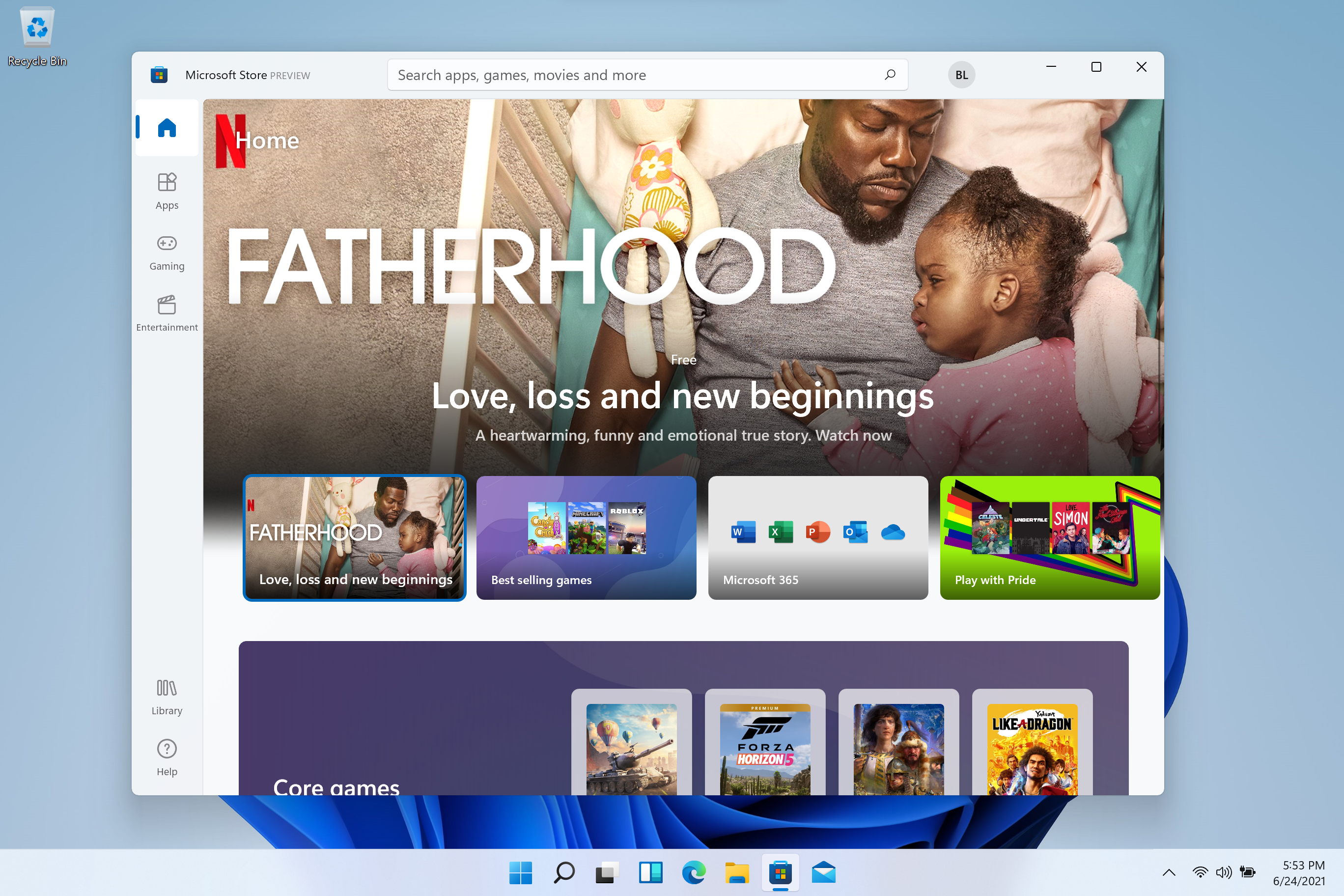
The first Insider Preview, Build 22000.51, looks a lot like the that we looked at a few weeks ago. There are a few notable changes though: the File Explorer now has a cleaner command bar, the Microsoft Store app has been updated with a new UI, and you'll also be able to customize your touchscreen keyboard. If you use an external monitor alongside a laptop, you'll also see the improved docking experience, which can place Windows in their correct spots whenever you plug into your monitor. And when you disconnect, that monitor's open windows neatly minimize to your task bar.
Console Bang News!
You'll have to make sure your PC to test the preview build, naturally. (Microsoft is making an exception for systems that meet the Windows Insider program's requirements though. Yes, it's all very confusing.) will let you know if your system passes muster.
Microsoft
The first Insider Preview, Build 22000.51, looks a lot like the that we looked at a few weeks ago. There are a few notable changes though: the File Explorer now has a cleaner command bar, the Microsoft Store app has been updated with a new UI, and you'll also be able to customize your touchscreen keyboard. If you use an external monitor alongside a laptop, you'll also see the improved docking experience, which can place Windows in their correct spots whenever you plug into your monitor. And when you disconnect, that monitor's open windows neatly minimize to your task bar.
Console Bang News!