
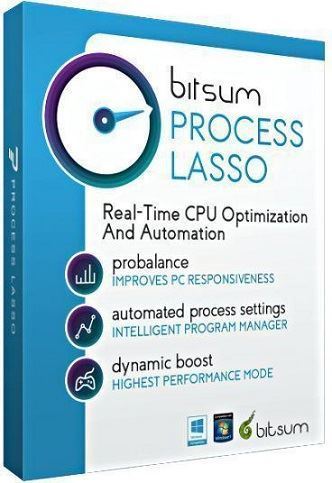
Process Lasso Pro 10.3.1.10 RePack & Portable by elchupacabra
 System requirements :
Windows 7/8 / 8.1 / 10/11 (32/64-bit)
Description :
Process Lasso allows you to manually or automatically manipulate processes running on your computer, which allows you to achieve maximum performance and system stability. Process Lasso monitors and limits programs that are actively loading the CPU, thereby improving system responsiveness. It can also automatically lower the priority for a process by applying the default values. Windows, by default, allows programs to completely load the central processor, which leads to system freezes and, accordingly, to inconvenience. Process Lasso's ProBalance (Process Balance) technology gently prioritizes running programs so that processes that previously used to load the entire CPU will no longer affect system responsiveness.
Features of the program:
Dynamic process priority balancing to optimize performance.
Using standard process priorities.
Acceleration in the foreground.
Limiting the number of running copies of programs.
Prohibiting the launch of specific programs.
Keeping statistics of running processes.
Dynamic graph of the system load.
Separate core of the program engine.
Support for 32-bit and 64-bit systems.
And much more...
GUI functions:
Easily set rules for priority and CPU affinity by default
Optionally, display tooltips to notify you while taking action
Unique system for calculating system reactivity and graph display
Easy-to-use right-click menu system for quick prioritization
Tracking and managing processes without the need for an open graphical interface
Changes:
Features of the version:
ATTENTION!!! Possibly FALSE operation of antiviruses on portable loader (ProcessLassoPortable.exe file)
1. Installation of the program combined in one distribution kit or unpacking of portable (portable app format) version
2. Does not require registration (RadiXX11 patch)
3. Multilingual interface (including Russian)
4. Picks up external settings files settings.reg and prolasso.ini (if located next to the installer)
"Silent" installation with the keys / SILENT or / VERYSILENT (or the file "Silent Install.cmd")
For "Silent" installation of the portable version, the additional key / PORTABLE = 1 (or "Unpack Portable.cmd" file)
Note !!! During installation, you will be prompted to visit the repack author's website. Uncheck the box as desired.

Windows 7/8 / 8.1 / 10/11 (32/64-bit)
Description :
Process Lasso allows you to manually or automatically manipulate processes running on your computer, which allows you to achieve maximum performance and system stability. Process Lasso monitors and limits programs that are actively loading the CPU, thereby improving system responsiveness. It can also automatically lower the priority for a process by applying the default values. Windows, by default, allows programs to completely load the central processor, which leads to system freezes and, accordingly, to inconvenience. Process Lasso's ProBalance (Process Balance) technology gently prioritizes running programs so that processes that previously used to load the entire CPU will no longer affect system responsiveness.
Features of the program:
Dynamic process priority balancing to optimize performance.
Using standard process priorities.
Acceleration in the foreground.
Limiting the number of running copies of programs.
Prohibiting the launch of specific programs.
Keeping statistics of running processes.
Dynamic graph of the system load.
Separate core of the program engine.
Support for 32-bit and 64-bit systems.
And much more...
GUI functions:
Easily set rules for priority and CPU affinity by default
Optionally, display tooltips to notify you while taking action
Unique system for calculating system reactivity and graph display
Easy-to-use right-click menu system for quick prioritization
Tracking and managing processes without the need for an open graphical interface
Changes:
Features of the version:
ATTENTION!!! Possibly FALSE operation of antiviruses on portable loader (ProcessLassoPortable.exe file)
1. Installation of the program combined in one distribution kit or unpacking of portable (portable app format) version
2. Does not require registration (RadiXX11 patch)
3. Multilingual interface (including Russian)
4. Picks up external settings files settings.reg and prolasso.ini (if located next to the installer)
"Silent" installation with the keys / SILENT or / VERYSILENT (or the file "Silent Install.cmd")
For "Silent" installation of the portable version, the additional key / PORTABLE = 1 (or "Unpack Portable.cmd" file)
Note !!! During installation, you will be prompted to visit the repack author's website. Uncheck the box as desired.