
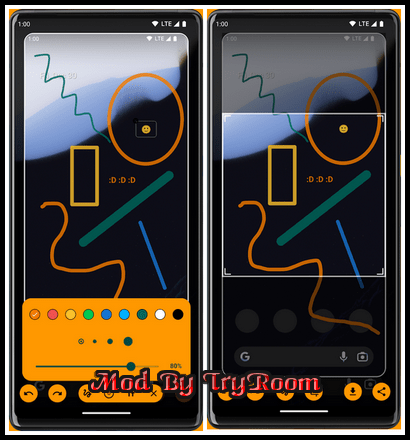
Take a screenshot by swiping up from a bottom corner or by holding the Home button.
Features
- Crop screenshot to the desired size
- Draw on screenshot
- Save screenshot to the device
- Share screenshot with your friends
How to configure the app
- From the Home screen navigate to Settings
- Select Apps
- Press Settings icon in the upper right corner
- Select Assist & voice input
- Press Assist app and select Screenshot Assistant
------------------------------------*****------------------------------------
Screenshot Assistant v4.3.48 (3.62 MB)
NitroFlare Link(s)
RapidGator Link(s)