
Tint Guide Pack RePack & Portable by wadimus (ML)
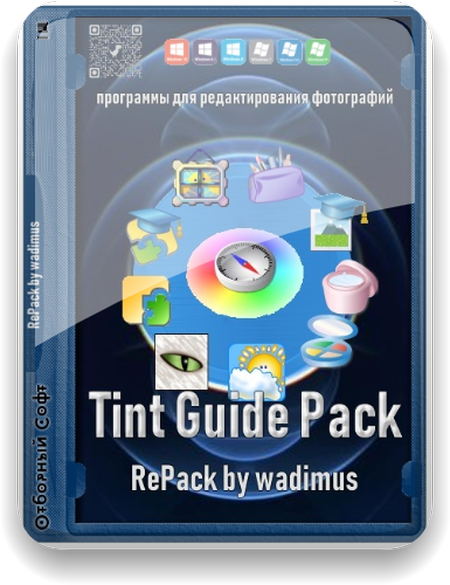 Tint Guide Pack is a complete set of photo editing programs from the company of the same name.
Includes animated examples of image processing;
Can work as a plugin in Adobe Photoshop and other photo editing programs;
support 20 languages;
compatible with 32 and 64-bit versions of Windows XP, Vista, 7, 8, 10.
Bundled software versions:
Beauty Guide 2.2.9
Makeup Guide 2.2.9
Cosmetic Guide 2.2.9
Brightness Guide 2.4.5
Pet Eye Fix Guide 2.2.9
Image Resize Guide 2.2.10
Picture Cutout Guide 3.2.12
Photo Montage Guide 2.2.12
Brief description of the programs and their capabilities:
Brightness Guide - evens out the brightness of the photos.
Did the flash light up only part of the photo? The Brightness Guide will light up the rest! The program evens out the brightness of unevenly lit photos. Brightens dark areas without affecting bright ones.
Picture Cutout Guide is a photo collage software.
Have you photographed against the wrong background? Move yourself to a different location! The program separates the object from an arbitrary background, applies effects to the background, transfers the object to another image.
Image Resize Guide - cleverly resizes photos and removes objects.
Extra people or objects got into the frame? Remove them with the Image Resize Guide! Resizes the photo, removing "unnecessary" parts and keeping the "important" without distortion. Removes objects from photos without noticeable marks.
Photo Montage Guide is a program for photo montage of photos.
Combines the Image Resize Guide and Picture Cutout Guide tools to expand your photo editing capabilities.
Cosmetic Guide - retouching the skin, plastic lips, breasts and nose in the photo.
Does a good photo spoil wrinkles or swelling? Does your waist seem thin enough? The program directly on the photo smoothes the skin, reduces wrinkles, makes plastic surgery of the face, chest and waist, removes large moles and other defects.
Makeup Guide is a virtual make-up program for photos.
Got a photo without makeup? Make a virtual makeover on the photo! The program will help you: make up your lips; apply blush, eyeshadow and powder; bring your eyes and change their color.
Beauty Guide - face retouching, eye color change, photo makeup.
The program combines tools Makeup Guide and Cosmetic Guide, expanding your photo processing capabilities.
Pet Eye Fix Guide - remove red eyes from photos of people and pets.
Are your eyes blown out by the flash? The program removes the effect of blown eyes of any color (red, blue, green, yellow, white) from photographs of pets and people.
updates received from offsite on 10/08/2021 processed by patch and registered
As part of the distribution:
- separate repacks (with plugins in Adobe Photoshop and other photo editing programs + Demo + all languages)
- a pack of all programs (in the form of a general repack without plugins separately without / with Demo + 2 languages)
Program version: 10.2021
Official site: Tint Guide
Repackaged by wadimus
Interface language: Russian and others
Treatment: not required, (the installer has already been treated)
System requirements: Windows from XP and newer

Includes animated examples of image processing;
Can work as a plugin in Adobe Photoshop and other photo editing programs;
support 20 languages;
compatible with 32 and 64-bit versions of Windows XP, Vista, 7, 8, 10.
Bundled software versions:
Beauty Guide 2.2.9
Makeup Guide 2.2.9
Cosmetic Guide 2.2.9
Brightness Guide 2.4.5
Pet Eye Fix Guide 2.2.9
Image Resize Guide 2.2.10
Picture Cutout Guide 3.2.12
Photo Montage Guide 2.2.12
Brief description of the programs and their capabilities:
Brightness Guide - evens out the brightness of the photos.
Did the flash light up only part of the photo? The Brightness Guide will light up the rest! The program evens out the brightness of unevenly lit photos. Brightens dark areas without affecting bright ones.
Picture Cutout Guide is a photo collage software.
Have you photographed against the wrong background? Move yourself to a different location! The program separates the object from an arbitrary background, applies effects to the background, transfers the object to another image.
Image Resize Guide - cleverly resizes photos and removes objects.
Extra people or objects got into the frame? Remove them with the Image Resize Guide! Resizes the photo, removing "unnecessary" parts and keeping the "important" without distortion. Removes objects from photos without noticeable marks.
Photo Montage Guide is a program for photo montage of photos.
Combines the Image Resize Guide and Picture Cutout Guide tools to expand your photo editing capabilities.
Cosmetic Guide - retouching the skin, plastic lips, breasts and nose in the photo.
Does a good photo spoil wrinkles or swelling? Does your waist seem thin enough? The program directly on the photo smoothes the skin, reduces wrinkles, makes plastic surgery of the face, chest and waist, removes large moles and other defects.
Makeup Guide is a virtual make-up program for photos.
Got a photo without makeup? Make a virtual makeover on the photo! The program will help you: make up your lips; apply blush, eyeshadow and powder; bring your eyes and change their color.
Beauty Guide - face retouching, eye color change, photo makeup.
The program combines tools Makeup Guide and Cosmetic Guide, expanding your photo processing capabilities.
Pet Eye Fix Guide - remove red eyes from photos of people and pets.
Are your eyes blown out by the flash? The program removes the effect of blown eyes of any color (red, blue, green, yellow, white) from photographs of pets and people.
updates received from offsite on 10/08/2021 processed by patch and registered
As part of the distribution:
- separate repacks (with plugins in Adobe Photoshop and other photo editing programs + Demo + all languages)
- a pack of all programs (in the form of a general repack without plugins separately without / with Demo + 2 languages)
Program version: 10.2021
Official site: Tint Guide
Repackaged by wadimus
Interface language: Russian and others
Treatment: not required, (the installer has already been treated)
System requirements: Windows from XP and newer