
Wondershare PDFelement Pro 8.5.6
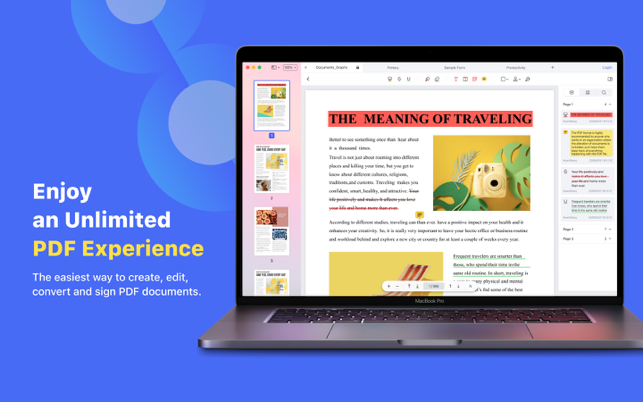
PDFelement Standard vs PDFelement Pro:
*PDFelement Standard = PDF Editor + PDF Annotator + PDF Converter + PDF Reader + PDF Creator + Form Filler
*PDFelement Pro = All features in PDFelement Standard + OCR + Batch Operations + PDF/A Support + Form Creator + More Output Formats Support
*** PDFelement Standard ***
√ PDF Editor
- Edit text, images and links in PDFs
- Change font attributes (type, size and style, alignment)
- Insert, update or remove custom watermarks and backgrounds
√ Markup & Annotate PDF
- Add comment, sticky note, text box, text call-out, stamps, add/edit links, freehand drawing
- Highlight, underline or strike through text
- Create and manage library of prebuilt and custom stamps
√ PDF Converter
- Supports the following output formats: Word, Excel, PPT, and image formats (.docx, .xlsx, .pptx, .jpg, .png, .gif, .bmp)
- Maintain text, images, graphs, fonts, and embedded elements from the original layout after conversion
√ Fill Forms
- Fill PDF forms
- Access to a collection of prebuilt, customizable fillable forms
√ Create PDF
- Supports input format: pdf/html/webarchive/rtf/txt/jpeg/jpg/png/bmp/gif
√ Page Management
- Manage pages of a document (reorganize, insert, extract, rotate, and delete pages)
√ Secure PDF
- Set a password to protect PDFs from being opened by unauthorized users
- Apply Permissions. Restrict users' access to PDF printing, copying, editing, and extracting by setting permissions for your document
*** PDFelement Pro ***
√ Includes all features in PDFelement Standard
√ OCR (Exclusive in Pro version)
- OCR (Optical Character Recognition)enables you to edit and convert characters in scanned PDF files or pictures
- Supports recognition of 29 languages
√ Create & Sign Forms (Exclusive in Pro version)
- Create fillable PDF Forms from interactive field objects, such as buttons, check boxes, radio buttons, list boxes, and drop-down lists
- Support adding digital signatures to forms
√ Merge PDF (Exclusive in Pro version)
- Combine different format files into a new PDF
√ Convert PDF (Exclusive in Pro version)
- Supports converting PDF file to a greater number of output formats like EPUB, HTML, Text, RTF
√ PDF/A (Exclusive in Pro version)
- Support PDF/A as an available output format with ISO Standard for long term archiving
√ Batch Processing of PDF Files (Exclusive in Pro version)
- Process PDFs in batches
- Add backgrounds, watermarks, headers and footers in batches
√ Bates Numbering (Exclusive in Pro version)
- Apply Bates Numbering with advanced formatting
Also includes the ability to unlock the PDFelement trial limits via an In-App Purchase, including:
- No trial watermark added when saving or printing
- No page count limit for PDF conversion
- Support of the OCR function

PDFelement Standard vs PDFelement Pro:
*PDFelement Standard = PDF Editor + PDF Annotator + PDF Converter + PDF Reader + PDF Creator + Form Filler
*PDFelement Pro = All features in PDFelement Standard + OCR + Batch Operations + PDF/A Support + Form Creator + More Output Formats Support
*** PDFelement Standard ***
√ PDF Editor
- Edit text, images and links in PDFs
- Change font attributes (type, size and style, alignment)
- Insert, update or remove custom watermarks and backgrounds
√ Markup & Annotate PDF
- Add comment, sticky note, text box, text call-out, stamps, add/edit links, freehand drawing
- Highlight, underline or strike through text
- Create and manage library of prebuilt and custom stamps
√ PDF Converter
- Supports the following output formats: Word, Excel, PPT, and image formats (.docx, .xlsx, .pptx, .jpg, .png, .gif, .bmp)
- Maintain text, images, graphs, fonts, and embedded elements from the original layout after conversion
√ Fill Forms
- Fill PDF forms
- Access to a collection of prebuilt, customizable fillable forms
√ Create PDF
- Supports input format: pdf/html/webarchive/rtf/txt/jpeg/jpg/png/bmp/gif
√ Page Management
- Manage pages of a document (reorganize, insert, extract, rotate, and delete pages)
√ Secure PDF
- Set a password to protect PDFs from being opened by unauthorized users
- Apply Permissions. Restrict users' access to PDF printing, copying, editing, and extracting by setting permissions for your document
*** PDFelement Pro ***
√ Includes all features in PDFelement Standard
√ OCR (Exclusive in Pro version)
- OCR (Optical Character Recognition)enables you to edit and convert characters in scanned PDF files or pictures
- Supports recognition of 29 languages
√ Create & Sign Forms (Exclusive in Pro version)
- Create fillable PDF Forms from interactive field objects, such as buttons, check boxes, radio buttons, list boxes, and drop-down lists
- Support adding digital signatures to forms
√ Merge PDF (Exclusive in Pro version)
- Combine different format files into a new PDF
√ Convert PDF (Exclusive in Pro version)
- Supports converting PDF file to a greater number of output formats like EPUB, HTML, Text, RTF
√ PDF/A (Exclusive in Pro version)
- Support PDF/A as an available output format with ISO Standard for long term archiving
√ Batch Processing of PDF Files (Exclusive in Pro version)
- Process PDFs in batches
- Add backgrounds, watermarks, headers and footers in batches
√ Bates Numbering (Exclusive in Pro version)
- Apply Bates Numbering with advanced formatting
Also includes the ability to unlock the PDFelement trial limits via an In-App Purchase, including:
- No trial watermark added when saving or printing
- No page count limit for PDF conversion
- Support of the OCR function